Chapter 1
How our posts work
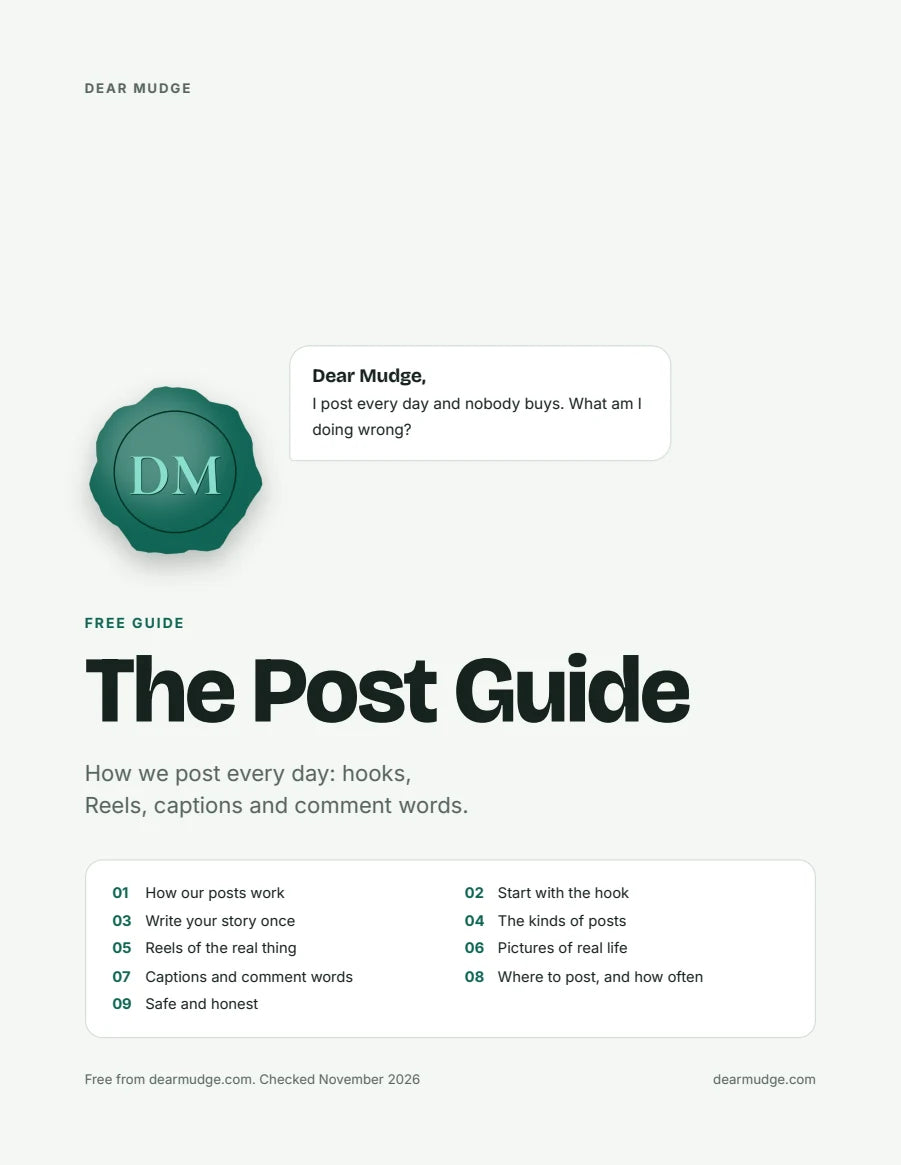
Dear Mudge,
I post every day and nobody buys. What am I doing wrong?
Most posts start with the product. Ours start with the problem.
Most posts we see from small shops say what the product is: “New planner in the shop!” People scroll past, because nothing in it is about them. Every post we make has three parts instead, and this guide shows how we make each one.
- A hook about a real problem. The first line, or the first second of a Reel, names something the reader is tired of, in the words they’d use. Chapter 2.
- The real thing, solving it. A screen recording of the product working, or a picture of its real pages. Not a promise: the thing itself. Chapters 4 and 5.
- One clear next step. One comment word, and a message with the link goes out on its own. Chapter 7.
And one look, every time: the same colors, fonts and layout, so people know it’s you before they read a word.
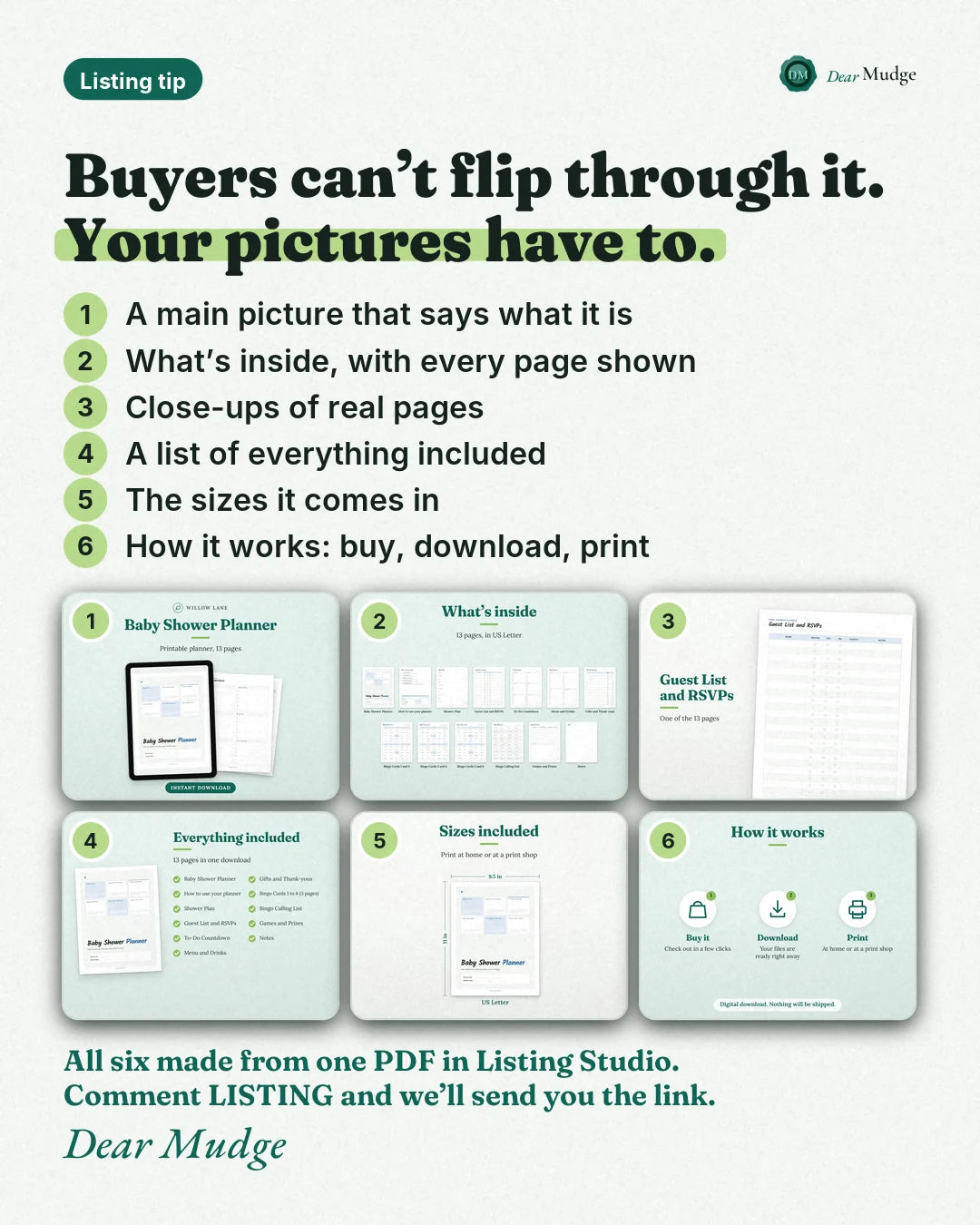
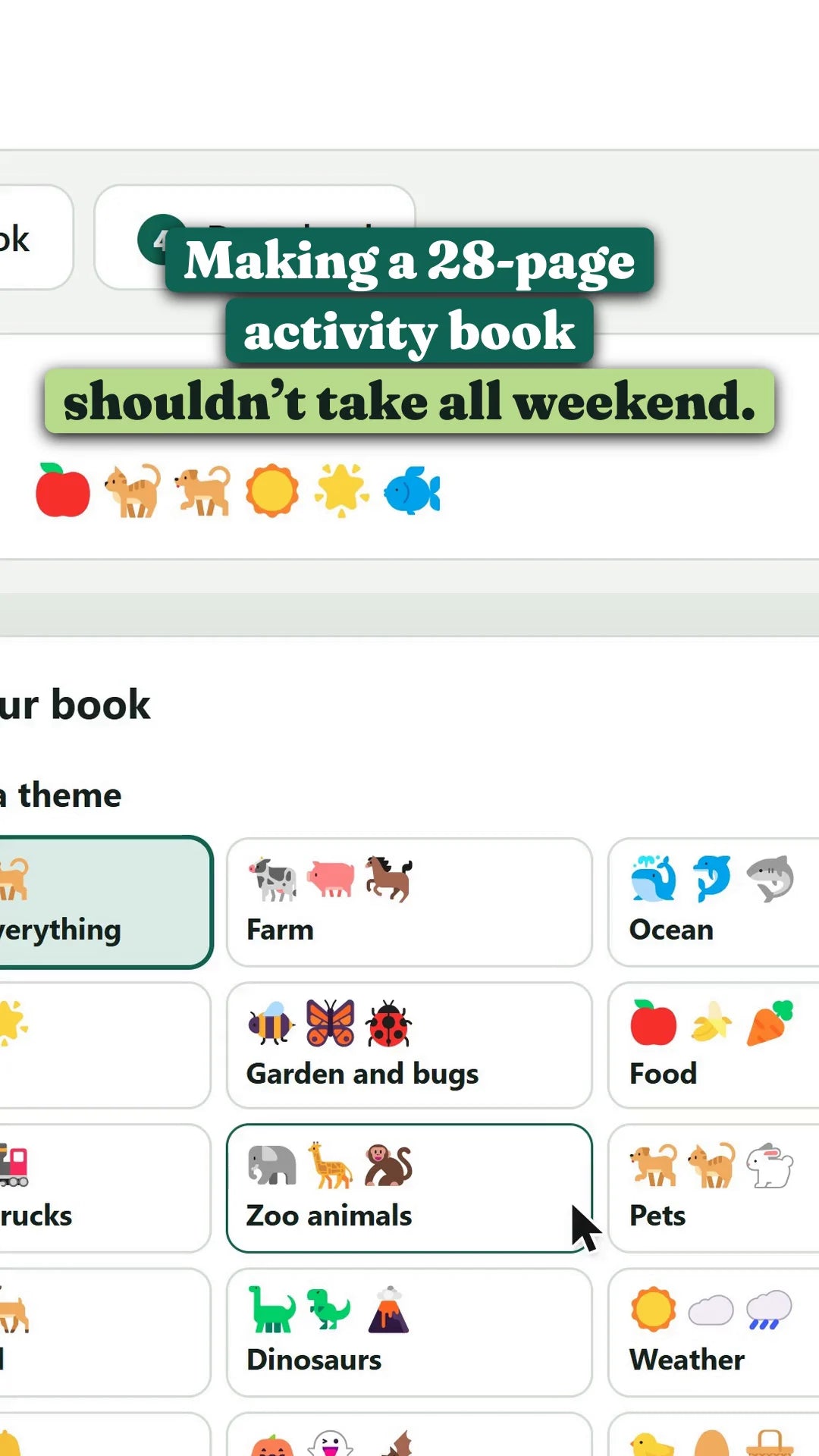
What we make each day
This is our plan right now. It’s a routine, not a rule: Meta doesn’t publish a best number of posts a day, and we found no reliable study of one.
| Where | What | How many a day |
|---|---|---|
| Reels only, for now: one for each product | 4 to 5 | |
| A mix: videos, picture posts and helpful posts | 4 to 5 | |
| A pin for each of our boards | 1 per board | |
| YouTube Shorts | Longer videos that show more of each product | 5 |
Each place gets its own posts, written for it. Chapter 8 says why, and how we post to each one.
- Start with the problem, not the product.
- Show the real thing solving it.
- End with one comment word.
- Keep the same look everywhere.
Chapter 2
Start with the hook
Dear Mudge,
How do I get people to stop scrolling and actually look at my post?
With the first line. We write it before anything else, then build the post around it.
The hook is the big line at the top of a picture, or the words on the first frame of a Reel. People decide in a second whether to keep looking, so the hook gets that second.
Three kinds that work for us
This is our opinion from making them, not a study.
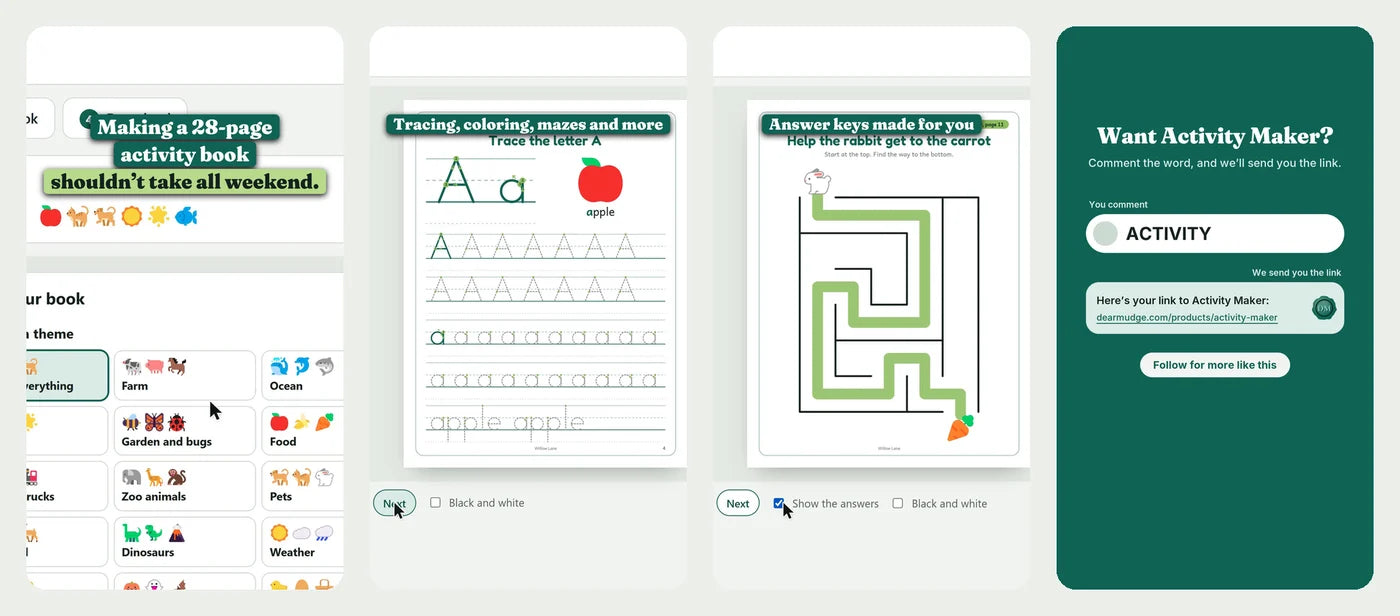
- A frustration they really have, said the way they’d say it. “Making a 28‑page activity book shouldn’t take all weekend.”
- ”You need to see this,” about something they’ve tried. “If you’ve ever made a word search in Canva, you need to see this.”
- ”Watch us,” and then you do it. “Watch us make a whole 2027 planner, every date filled in.”
A weak one, and why
Our first hook for a kids’ activity book was “Still drawing every maze and answer key by hand?” It sounded like a problem, but almost nobody draws mazes by hand, so nobody felt it. A good hook names something the reader has done this week.
Four rules
- Talk like people talk. Read it out loud. If it sounds like an ad, change it.
- Keep it short. Under about 12 words fits a phone screen in big letters.
- Make it true. Say “under a minute” only if it really takes under a minute. Count the pages before you say 28 pages.
- No money. No “make $500 a week” and no “quit your job”. Chapter 9 says why.
Plan the post around the hook
We write the hook first, then decide what the picture or video shows. The hook makes a promise, and the post has to keep it in the first few seconds. If the hook says “every date filled in”, the video shows the dates. If the video can’t show it, we change the hook, not the video.
Hooks to start from
Change the words in brackets to your own product and buyer.
A frustration
- Making a [product] shouldn’t take all [weekend].
- Still making [pages] one at a time?
- Stop spending your evenings [doing the slow job].
- [The slow job] shouldn’t take longer than [making the product].
- Tired of [the thing they redo every time]?
You need to see this
- If you’ve ever [made X in Canva], you need to see this.
- Before you [buy another bundle], watch this.
- Your [product] is done. Now comes the frustrating part.
- Got [30 pages in Google Docs] that still don’t look like [a book]?
Watch us
- Watch us make a whole [product] in under a minute.
- We dropped in one [file]. Look at everything it made.
- One click. A completely different [product]. Watch.
- Watch us turn a plain [doc] into a finished [ebook].
Helpful posts
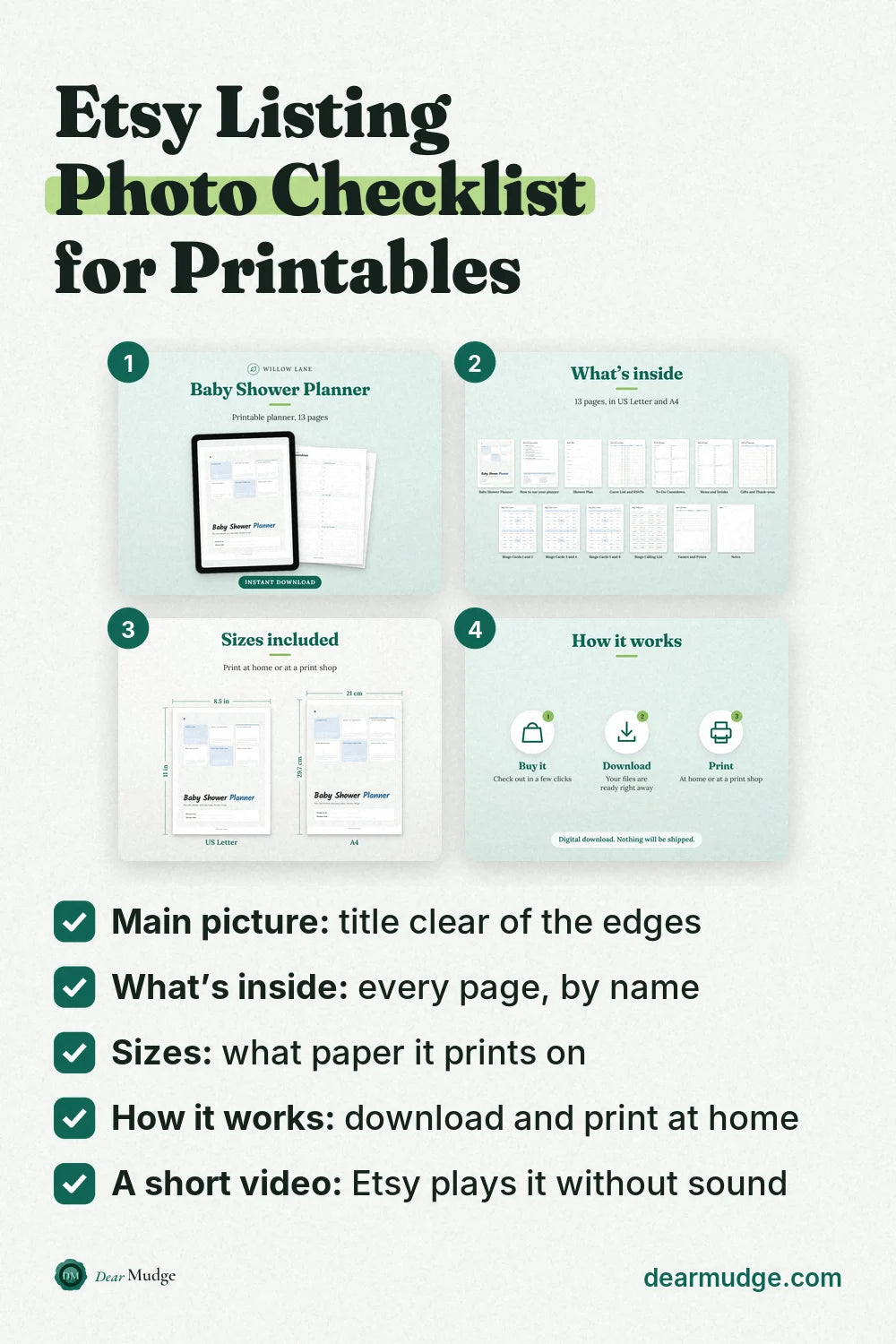
- The pictures every [printable] listing needs.
- [Product] sizes, explained.
- What to post for a [digital product] shop.
- [Five] things to check before you [list a printable].
- Start a normal Claude chat.
- Copy the words below, change the parts in brackets, and paste them in.
- Pick the three that sound most like you, then check each one is true.
- The hook is the first line, and it gets one second.
- Name a real frustration, in the reader’s own words.
- Write the hook first, then make the post keep its promise.
- Short, true, and no money.
Chapter 3
Write your story once
Dear Mudge,
Why would anyone buy from me instead of a big shop?
Because you have a reason you started. Write it down once, and every caption can borrow from it.
People buy from a shop they believe. A short, true story about why you make what you make does that better than any claim, and you only have to write it once.
Your story in five lines
Answer each one in a short sentence. Only write what really happened.
- Who are you? For example: “We make printables for busy families.”
- What was hard? “Every product took ages to design, and the listing pictures took longer.”
- What did you want? “More time making things people use, less time fixing layouts.”
- What did you do? “So we found a faster way, one step at a time.”
- Why do you share? “Friends kept asking how, so we started showing them.”
Those five lines are your story. Most captions in chapter 7 borrow a line or two from them.
Keep it private if you want
- Use a shop name, a first name or a nickname. A shop can speak as “we”.
- Leave out anything you don’t want strangers to know.
- No faces needed. Your product is the thing people come to see.
What never goes in your story
- Money numbers. No “I made $800 yesterday” and no “I replaced my income.” The FTC treats lines like these as a claim about what your reader will earn, and they can get a page in trouble. Chapter 9.
- Anything that didn’t happen. No made‑up results, quotes or moments.
- Lines copied from other pages. Use their shapes, never their words.
- Write your story once, in five short, true lines.
- A shop name and “we” are fine. No faces needed.
- Never money numbers, and never made‑up moments.
Chapter 4
The kinds of posts
We use a handful of kinds, and each one has a job. They all share one look: the same colors, fonts and layout.
The problem post
A picture post with a big hook about a problem, a short list or a few lines, and the real product.
- Its job: to stop the scroll, and make someone feel understood.
- The words: one hook from chapter 2, then 3 to 6 short points, then the comment word in the caption.
The helpful post
A tip people want to keep, like “The pictures every printable listing needs.” It helps first, and mentions your product only at the end.
- Its job: to be saved and shared. Meta says its ranking looks at comments, and Instagram Reels looks at how likely people are to share (our free guide, The Playbook, chapter 10).
- The words: a hook people would search for, then the tip, then one line about your product.
The product post
Your real product on a laptop or a phone, with a headline that says what it does.
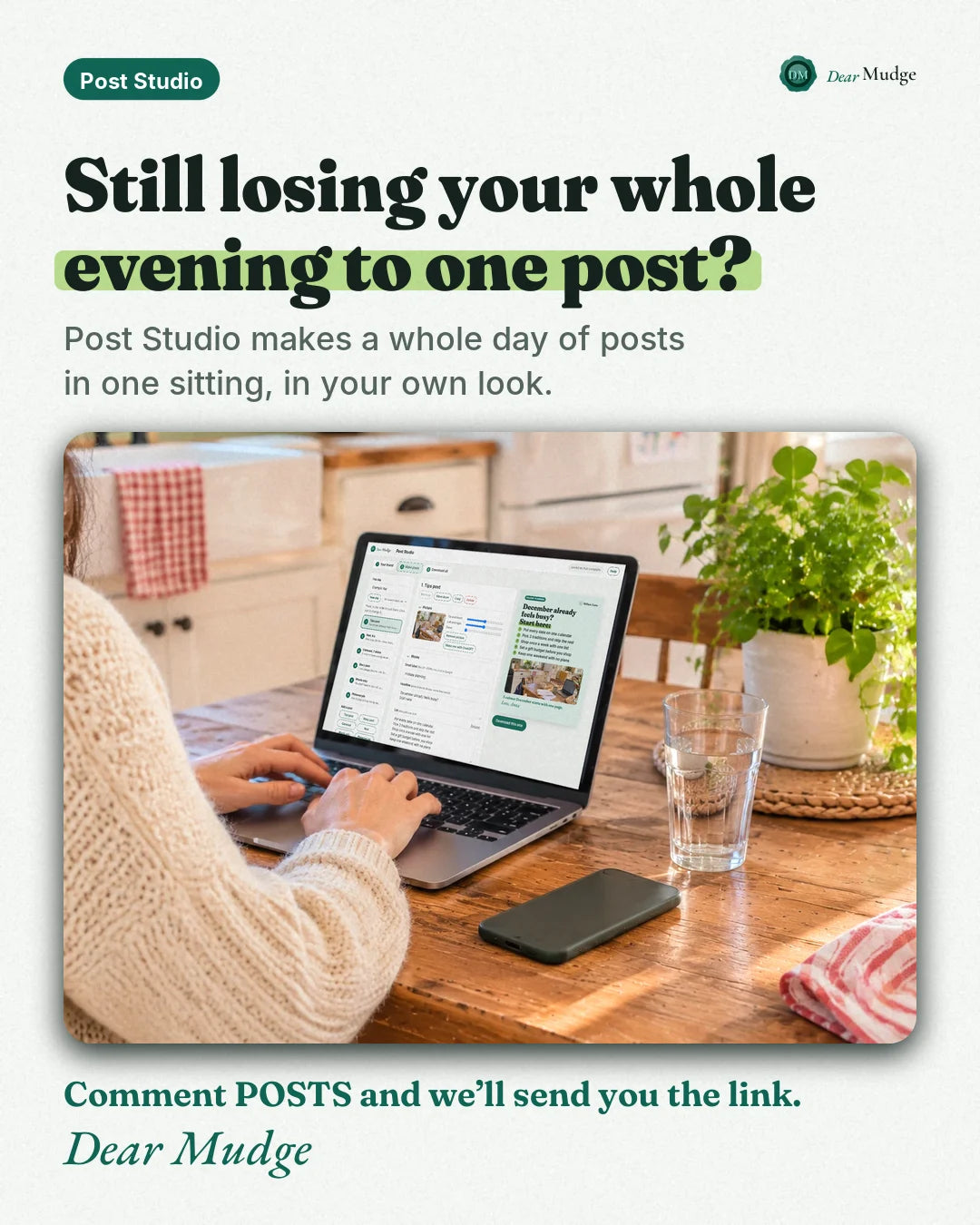
The Reel
A short video of the real product working. It gets its own chapter, next.
The story post
Your story from chapter 3, with a picture. Pin one to the top of your page, so new visitors meet you first.
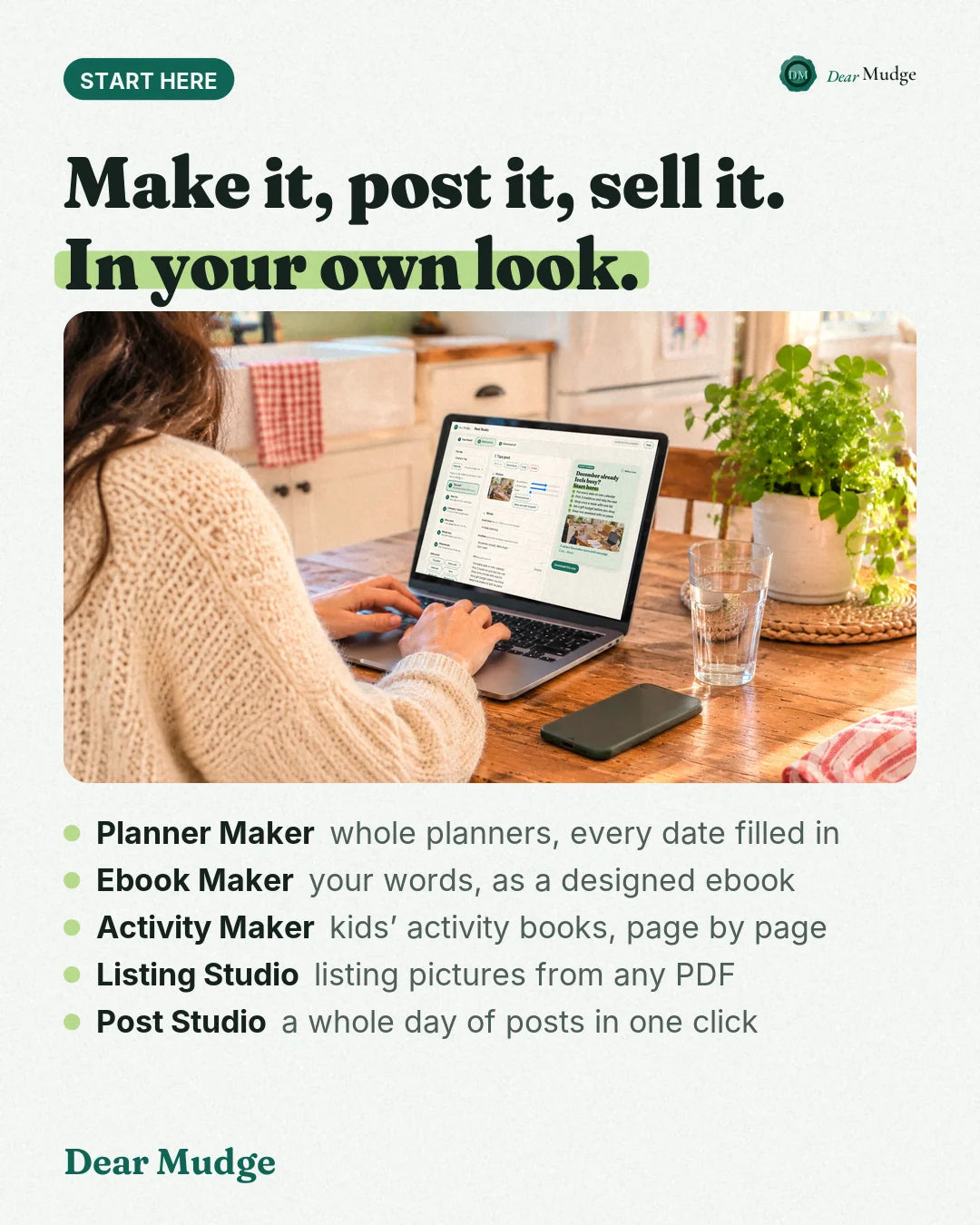
The pin
A tall picture for Pinterest, with a hook people might search for, like “Printable planner sizes, explained”. Each pin links to the product’s own page.
Sizes
| Kind | Size in pixels | Shape |
|---|---|---|
| Picture post | 1080 by 1350 | Tall (4:5) |
| Reel or Short | 1080 by 1920 | Phone screen (9:16) |
| Pin | 1000 by 1500 | Taller (2:3) |
- Problem posts stop the scroll.
- Helpful posts get saved and shared.
- Product posts and Reels show the real thing.
- One story post, pinned. Pins bring visitors from search.
Chapter 5
Reels that show the real thing
Dear Mudge,
Reels feel like a whole second job. Do I have to dance or talk to the camera?
No. Ours are screen recordings of the product working, with a few words on top.
The most convincing Reel we know is the product doing its job. No face and no voice: the hook, the real thing working, and the comment word at the end.
Our timing
From our own Reels. It’s our opinion, not a rule.
| Seconds | What's on screen |
|---|---|
| 0 to 3 | The hook, over the first clicks |
| 3 to 5 | The first finished result |
| 5 to 18 | The result, close up, one thing at a time |
| 18 to 23 | The comment word, and “Follow for more like this” |
- Show the result fast. People came for what it makes, not the menus.
- Fill the whole screen. A small video inside a big frame wastes the screen.
- Keep words in the middle. The app’s own name, buttons and caption sit at the top and the bottom.
- One short line for each step, so it makes sense with the sound off.
Make one: record your screen
- On Windows 11, press Windows logo key + Shift + R, or open Snipping Tool and pick Record. Drag around the part of the screen to record, then select Start. It saves an MP4 in Videos, then Screen Recordings.
- On a Mac, press Shift + Command + 5, pick a recording option, then click Record.
- Do the job once, slowly, the way you’d show a friend.
- In a video editor, make it tall (1080 by 1920), crop in close on the part that matters, and cut the waiting.
- Put the hook on top for the first 3 seconds, a short line for each step, and the comment word at the end.
Music
- Instagram and Facebook: music from Meta’s own Sound Collection is free to use in what you post on Meta’s apps. Its terms don’t allow it anywhere else, so never use it on YouTube.
- Put the music in the video file itself. In our test, music added in Meta Business Suite’s edit step only played on Facebook.
- YouTube: use music YouTube allows, like its own Audio Library, or a Creative Commons track with the credit in your description.
- Record the real product working. No face needed.
- Hook first, result by about 3 seconds, comment word last.
- Fill the screen, and keep the words in the middle.
- Meta’s music for Meta’s apps only. Something else for YouTube.
Chapter 6
Pictures that look like your life
Some posts need a picture of real life: a kitchen table, a planner by a window, hands on a laptop. We make those in ChatGPT, from one style prompt, so they all look like they came from the same home. And wherever we can, we show the real product instead.
Real first
A real screenshot of your product, a photo of your printed pages, or a screen recording beats any made‑up picture. It shows people exactly what they get. Use life pictures around it, not instead of it.
One style prompt, used every time
The style prompt tells ChatGPT what your home and your life look like. Fill in the parts in brackets once, then paste it at the start of the same ChatGPT chat every time.
Make the same home look the same
Different kitchens in different posts look fake. Before your first day, ask for three wide pictures with no people: the kitchen, the living room, and outside. Keep them. If a room ever comes out different, upload that room’s picture to the same chat and ask for the same picture in this exact room.
Mix the scenes
Our first pictures were all sunsets and cups of coffee, and they looked fake, because real life isn’t one sunset after another. Mix them every day: one inside, one outside, one in town, one quiet moment, one of you working. Keep them bright.
When a picture comes out wrong
Ask for one change at a time. The most useful one for us: “Make it look more like a real phone photo, less staged.” If a face shows up, ask for the same picture with no face.
Pictures made with AI have their own rules for labels, and they differ by app. Chapter 9 has them.
- Show the real product first.
- One style prompt, pasted at the start of the same chat every time.
- Keep your home the same in every picture.
- Mix the scenes, and keep them bright.
Chapter 7
Captions and comment words
Dear Mudge,
What do I write under the post? Mine are one line, and nobody answers.
The picture stops the scroll. The caption is where people decide to comment.
Our caption, in six parts
- The hook again, in one line.
- A few lines of your story about the problem (chapter 3).
- What the product does, in plain words.
- What they get, and how they pay: once, or every month.
- The comment word, and what it sends.
- The follow line.
Here’s one of ours, shortened:
Write the way you talk: short lines with space between them, plain words, one idea per line.
A comment word for each product
People comment one word, and a message with the right link goes to them on its own. We use one word for each product, so each word can send that product’s own page.
- On a computer, open Meta Business Suite, then Inbox, then Automations.
- Make a comment to message automation for each word, and tick both Facebook and Instagram.
- Type the word three ways, like ACTIVITY, Activity and activity, so it catches how people type.
- Write the message: a thank you, the link, one line on what it is, and your shop name.
Pick words people won’t type by accident. A tool that fires on “START” also fires on “where do I start?”
The follow line
Right after the comment word, we add this:
A message from a page someone doesn’t follow can land in a folder most people never open. The line fixes that, and it brings followers.
Small things that matter
- Hashtags on Instagram only, 3 to 5 at the end. We leave them off Facebook.
- Never write “first comment”. On Instagram your caption shows above the comments, so “the first comment” points to the wrong one.
- Answer some comments yourself. A real reply is worth more than another post.
Caption shapes to start from
Use a different shape each day. Fill the brackets with your own true lines.
| Shape | How it starts |
|---|---|
| The problem | “[The hook].” Then two lines of your story, what the product does, and the comment word. |
| A question we got | “Someone asked us: [their question].” Then an honest answer in two or three sentences. |
| Do this, not that | Two pairs of “what most people do” and “what to do instead”. |
| What we wish we knew | Three short lessons, then one line of your story. |
| The steps | “If we were starting today, here’s what we’d do,” then five short steps. |
| The real answer | “The real answer to [a question people ask] is simpler than you think,” then two lines. |
- Start a normal Claude chat.
- Copy the words below, fill in the brackets, and paste them in.
- Read each caption out loud, and change anything that isn’t true or doesn’t sound like you.
- Hook, story, what it does, how they pay, comment word, follow line.
- One comment word for each product, each with its own message.
- Hashtags on Instagram only. Never “first comment”.
- Change the shape every day. Keep every line true.
Chapter 8
Where to post, and how often
Dear Mudge,
Do I post the same thing everywhere?
We don’t. Each place works differently, so each one gets posts made for it.
Instagram: Reels, for now
We post only Reels on Instagram for now, 4 to 5 a day, one for each product. Meta’s page on how it ranks posts says Instagram’s Explore recommends photos and reels from accounts you don’t follow, so a good Reel can reach people who have never seen you. The caption carries the hook, a short story, the comment word and 3 to 5 hashtags.
Facebook: a mix
On Facebook we post 4 to 5 a day and mix them: the same product videos, problem posts, helpful posts, and the pinned Start here post. No hashtags.
Pinterest: a pin for each board
We made one board for each kind of product, named the way people search, like “Printable Planner Ideas”. Each day we add a pin to each board, and each pin links to that product’s own page. In our view, a good pin keeps being found for months, because people search Pinterest.
YouTube Shorts: longer, and more of it
YouTube treats a square or tall video up to three minutes long as a Short. Ours run about 45 seconds and show more of each product than a Reel does: eight or ten things it can do, each with a short line.
Links don’t work the same way there. YouTube says links in a Short’s description and comments can’t be clicked, but the links on your channel’s page can. So we:
- Show our web address on screen at the end.
- Put the link first in our channel’s links.
- Still put it in the description, where people can read it.
One folder for each place
Every day we make one folder for each place: Instagram, Facebook, Pinterest and YouTube. Each holds that day’s posts, numbered in the order to post them, each with its own caption beside it. Mixing two places in one folder was too confusing.
Posting to Facebook and Instagram
You don’t need the Instagram app for this. On a computer:
- Go to business.facebook.com and sign in.
- Click Create post for a picture, or Create reel for a Reel.
- Tick the page or account it’s for.
- Add the picture or video, paste its caption, and click Publish, or schedule it.
Your pinned post
Make one story post that tells your whole story, and pin it to the top of your page, so every new visitor meets you first. On Facebook, click the three dots on the post and pick Pin to top of page. On Instagram, open the post, tap the three dots, and pick Pin to your profile.
- Instagram: Reels, one for each product.
- Facebook: a mix of videos, problem posts and helpful posts.
- Pinterest: a pin for each board, linked to the product.
- YouTube Shorts: longer, more features, and the link on screen.
Chapter 9
Keep your page safe and honest
The big money pages break a few rules that can get a page shut down, or worse. You don’t have to.
No money numbers, ever
Lines like “I made $828 yesterday” or “$5,000 a month from my phone” are earnings claims. The FTC’s rule on earnings claims covers any “oral, written, or visual representation” of income, so a screenshot counts too. So our posts never show money numbers, sales screenshots or “I quit my job” lines. The Playbook, our free guide, has the whole story in chapters 3 and 8.
No made‑up stories or reviews
Write only what really happened. The FTC’s rule on reviews bans fake ones, including reviews “by someone who does not exist”. If you don’t have a result yet, don’t invent one.
Make your own posts
Meta says pages get the most reach when they “consist primarily of original content”, and shows less of reposts. Use the shapes in this guide, never another page’s words, pictures or name.
AI labels, place by place
| Where | What the rules say |
|---|---|
| Meta’s apps | Meta may require a label on realistic AI video or a realistic AI voice. Its help page says the requirement “does not apply to images”, though Meta may still label one. |
| YouTube | Answer Yes to its altered or synthetic content question if the video shows realistic content that was made or changed, like a realistic AI photo on screen. |
| Pinterest can label AI pictures too. When a pin uses AI pictures, use its AI option if it shows one. |
Our own rule: if a picture could fool someone about what really happened, label it.
Music
- Meta’s Sound Collection: free on Facebook and Instagram, never anywhere else.
- YouTube: its Audio Library, or Creative Commons music with the credit in your description.
- Anything else needs the right to use it, in writing.
- No money numbers, no sales screenshots, no “I quit my job”.
- Only what really happened. No fake reviews.
- Your own posts, never copies.
- Label realistic AI. Use music each place allows.