
Dear Mudge, how do I make a dated 2027 planner without typing 365 dates?
A whole planner in your look, every date filled in.
Pick the year, the pages and your design. Planner Maker makes the whole planner: printable in four sizes, a tablet version with clickable tabs, and a web planner people can type in.
One payment. No monthly fee.
Works on your own computer.
Sound familiar?
Making a planner should be the fun part. The dates make it a chore.
- You type 365 dates by hand, and one slip throws off the whole year.
- Every new size means making the whole planner again.
- Your planner looks like every other shop’s planner.
- Buyers ask for a digital version, and you don’t know where to start.
Why we made it
We built it for our own planners first.
We make planners for our own shop, and we know how long it takes to date every page and then make it all again in every size. So we built a tool to do it for us: every date, every size, in our own look.
It worked so well that we made it simple enough for anyone, and that is Planner Maker. It solves our problem every time we make a planner, and now it can solve yours.
Dear Mudge
“I spend days typing dates, and one slip throws off the whole year.”
Every month, every week and every day has to be right.
The fix: Every date filled in for you
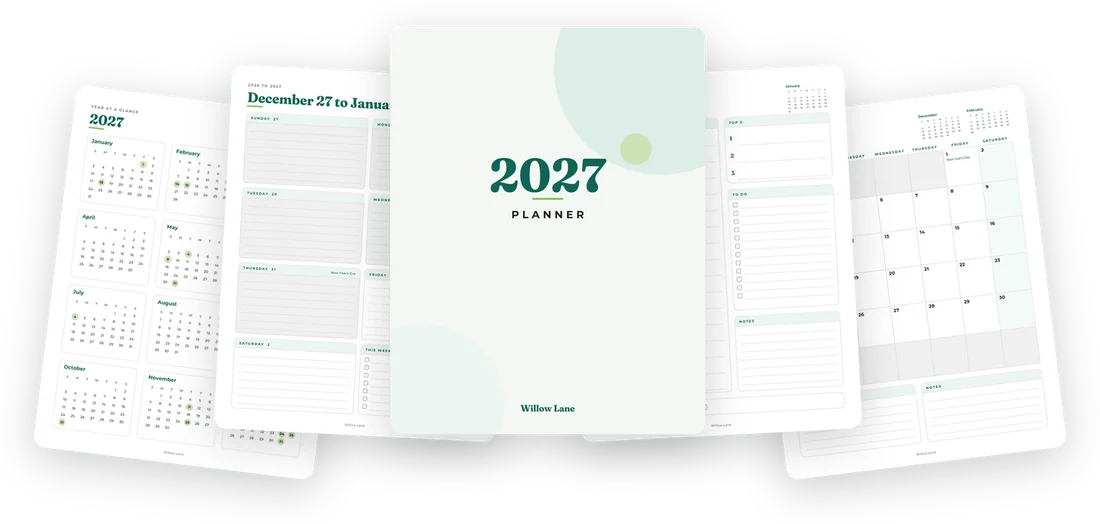
Pick the year, the month it starts and the day your weeks begin. Planner Maker fills in every date on every calendar, week and day page, with holidays and your own dates if you like.
- Any year, for 12 or 18 months, starting in any month
- Holidays for the US, Canada, the UK or Australia
- Undated planners too, for any year
“My planner looks like every other shop’s.”
The same templates, the same fonts, the same layouts.
The fix: Your look and your layout
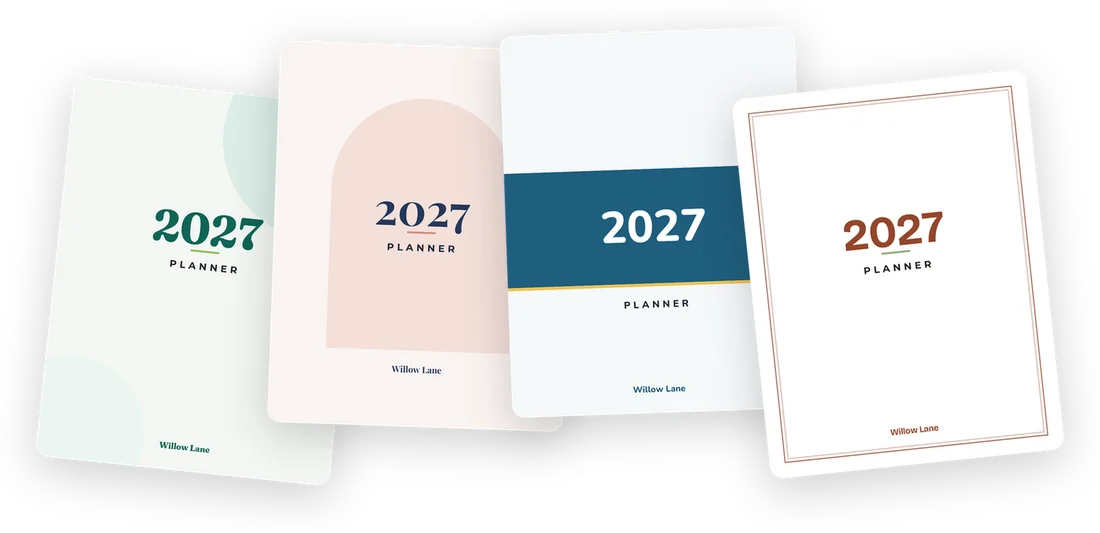
Your colors, fonts and logo go on every page. Pick one of four covers or use your own, and pick a layout for the weekly, daily and monthly pages.
- Six ready looks, or your own colors and fonts
- Your own cover and pages, like ones you made in Canva
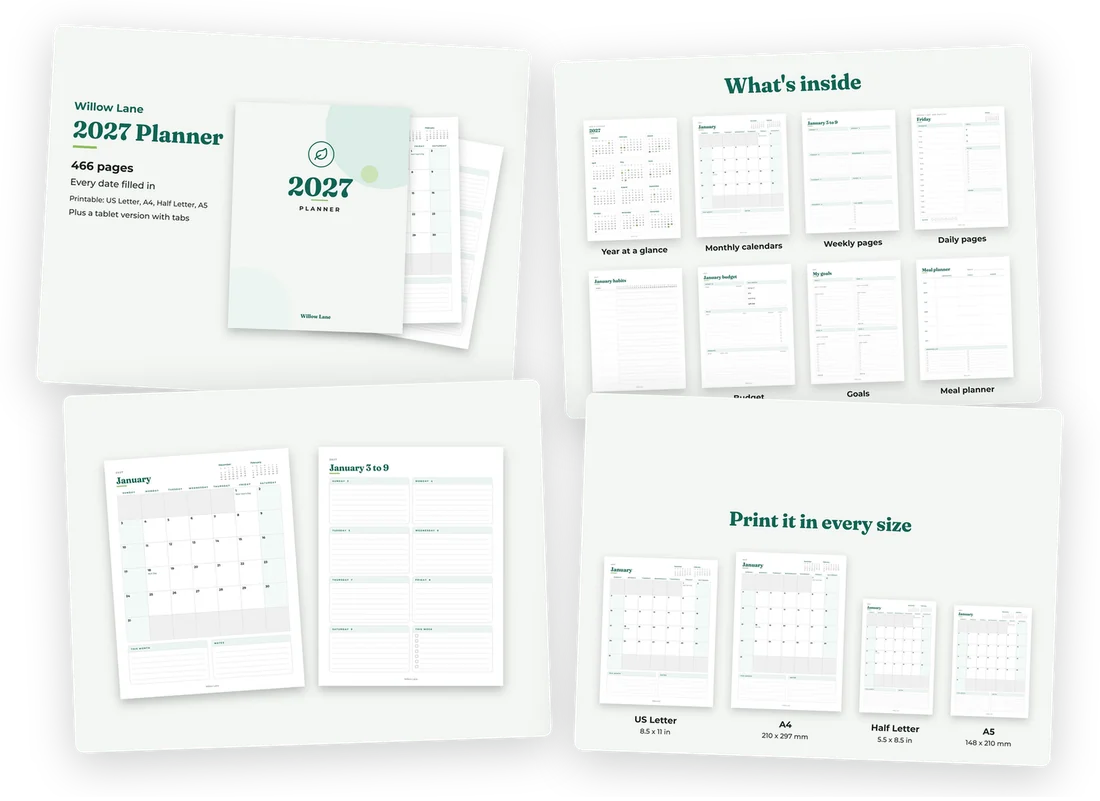
- 20 kinds of pages to pick from
“Every new size means starting over.”
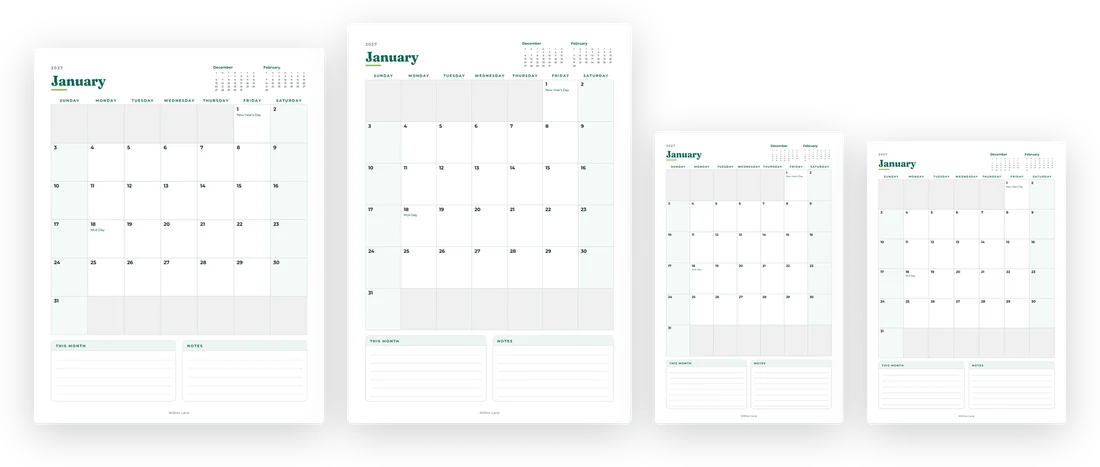
Letter for the US, A4 for everyone else, and small sizes for binders.
The fix: Every size in one click
Tick the sizes you sell and download them all at once, from one design: US Letter, A4, Half Letter, A5 and two tablet sizes.
- Printable at home or at a print shop
- An ink saver, and room for hole punching
- Bookmarks for every month in each PDF
“Buyers ask for a digital version.”
Clickable planners look like a whole new skill to learn.
The fix: Tablet and web planners, made for you
The tablet PDF has tabs down the side, and every month, week and date is a link. The web planner opens in any browser, and people type and tick right on the page.
- Clickable tabs for note apps like GoodNotes
- A web planner that saves as people type
- It works on phones too

“Then I still have to make the listing pictures.”
Mockups, page previews, sizes and descriptions, one by one.
The fix: Listing pictures and words, done
Tick one box for pictures of your real pages, ready for your shop listing, and listing words with title ideas and a What’s included list.
- Up to seven pictures, 2400 by 1800
- Your sizes shown to scale
- A tested Claude prompt for the full listing
No subscriptions
Pay once. It’s yours.
Planner Maker is one file that opens in your browser. There is no account to make and no monthly fee, and nothing you make is ever sent anywhere.
Sell what you make
The planners you make are yours to sell under your own shop name.
Free updates
When we make it better, the new version comes to your email.
How it works
Three steps, and the first one you only do once.
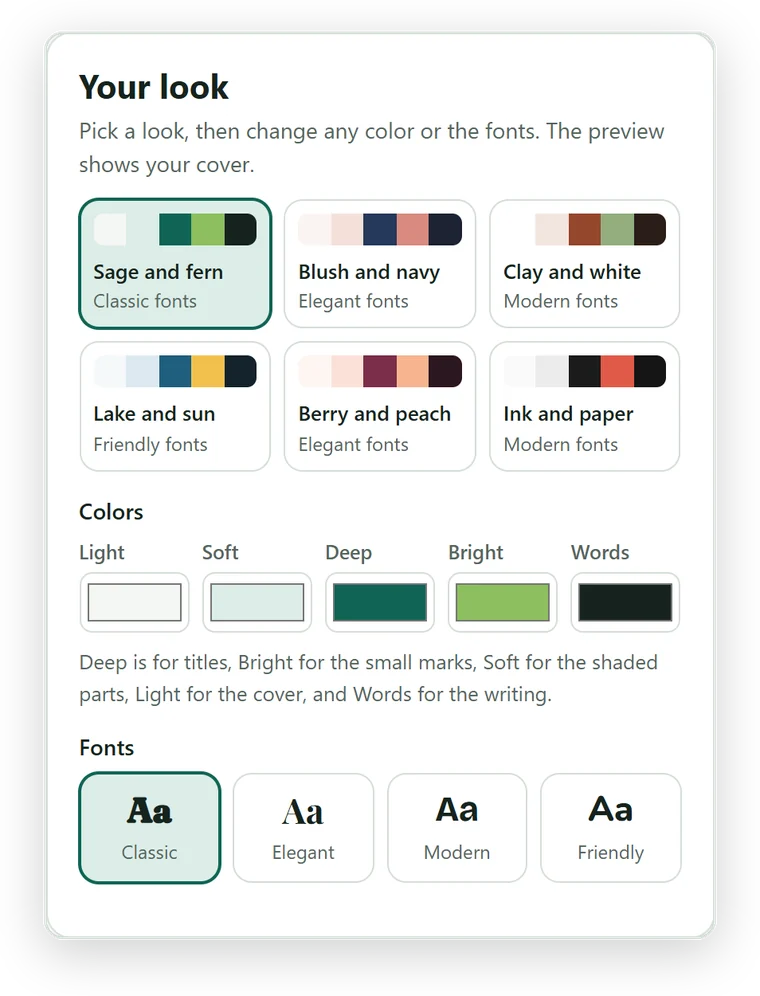 1Set your brand onceYour shop name, logo, colors and fonts. Every planner matches from then on.
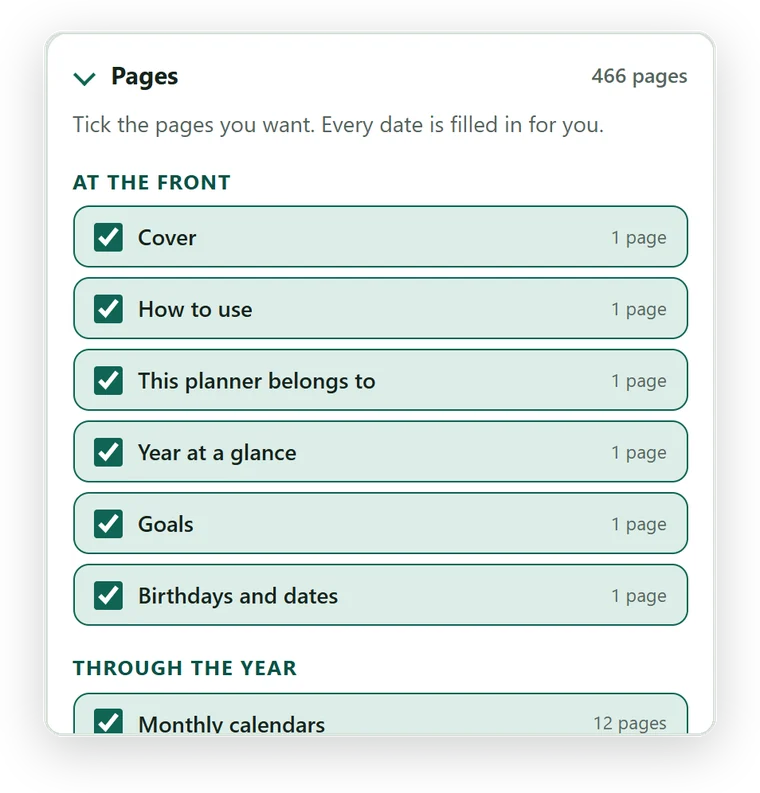 2Pick the dates, pages and designTick the pages, pick a cover and layouts, and see every page as you go.
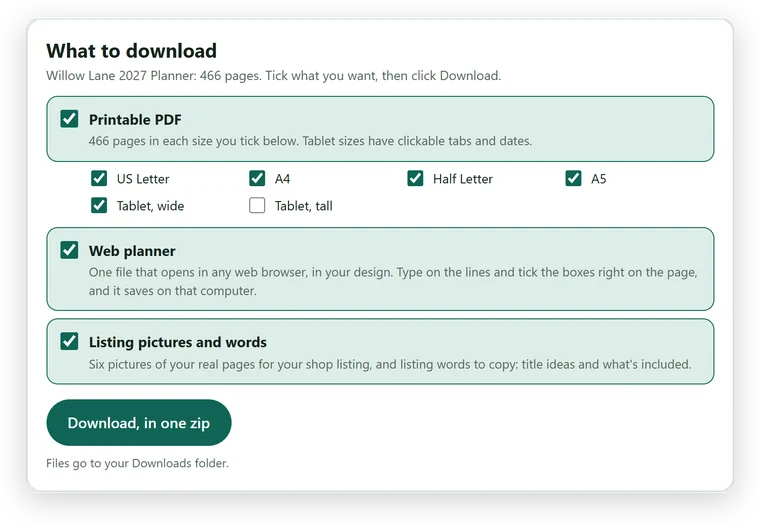 3Download it allThe PDFs in every size, the web planner and your listing pictures, in one zip.
Planner Maker is for you if...
- You sell planners, or you want to start.
- You want dated planners without typing a single date.
- You want printable, tablet and web versions from one design.
- You’d rather pay once than pay every month.
It’s not for you if...
You want to draw every page from scratch.
Planner Maker lays out the pages for you. You pick the pages, layouts, colors and fonts, and you can add pages you designed.
You only use a phone.
Planner Maker needs a computer with Google Chrome or Microsoft Edge. The web planners it makes work on phones.

Planner Maker
The tool, the step-by-step guide and free updates.
- Planner Maker: one file that opens in Chrome or Edge on your computer
- The Planner Maker Guide: every button, step by step, with pictures
- A tested Claude prompt that turns your listing words into a full listing
- Free updates, sent to your email
Add our other tools for $28 each
Secure checkout by Shopify. Your download links show right after you pay, and they’re emailed to you too.
The cart opens when Planner Maker is set up in the store.
Questions
Can I sell the planners I make?
Yes. The PDFs and web planners you make are yours to sell under your own shop name. Planner Maker itself is for your own use, so please don’t share or resell the tool.
Do I need Canva or any other app?
No. Planner Maker lays out every page. Canva is only handy if you want to design your own cover or pages.
Which sizes does it make?
US Letter, A4, Half Letter and A5 to print, and two tablet sizes with clickable tabs.
How does the web planner work?
It is one file people open in Chrome, Edge or Safari. They click a line to type and a box to tick, and it saves on their own computer or phone.
Can I make undated planners?
Yes. Undated planners keep the month names and leave the dates for your buyers to fill in.
Does it work on a phone?
Planner Maker itself needs a computer. The web planners it makes work on phones, tablets and computers.
Is there a monthly fee?
No. You pay once, and updates are free.
What if I get stuck?
The guide shows every button, step by step, with pictures, and the tool has a Help button on every screen.