
Dear Mudge, how do I turn what I know into an ebook that looks like a designer made it?
Your words, as a designed ebook, ready to sell.
Paste your guide or write it with Claude. Ebook Maker lays it out in your own look, with a cover, clickable contents and chapters, and makes the PDF, an EPUB for Kindle, and your listing pictures.
One payment. No monthly fee.
Works on your own computer.
Sound familiar?
Writing the guide is the hard part. Then making it look good takes just as long.
- Your guide sits in a Google Doc because making it look good feels like a second job.
- Templates fight you on every page, and one new paragraph moves everything.
- The contents page never matches the real page numbers.
- Kindle, Apple Books and Etsy each seem to want a different file.
Why we made it
We built it for our own guides first.
We write guides for our own shop, and we know how long it takes to turn a finished Google Doc into a book that looks right: the cover, the contents, the page numbers, every heading and every tip box. So we built a tool to do it for us.
It worked so well that we made it simple enough for anyone, and that is Ebook Maker. It solves our problem every time we make an ebook, and now it can solve yours.
Dear Mudge
“My guide is written, but it looks like a school report.”
Plain words in a document are not something people pay for.
The fix: A designed book from your words
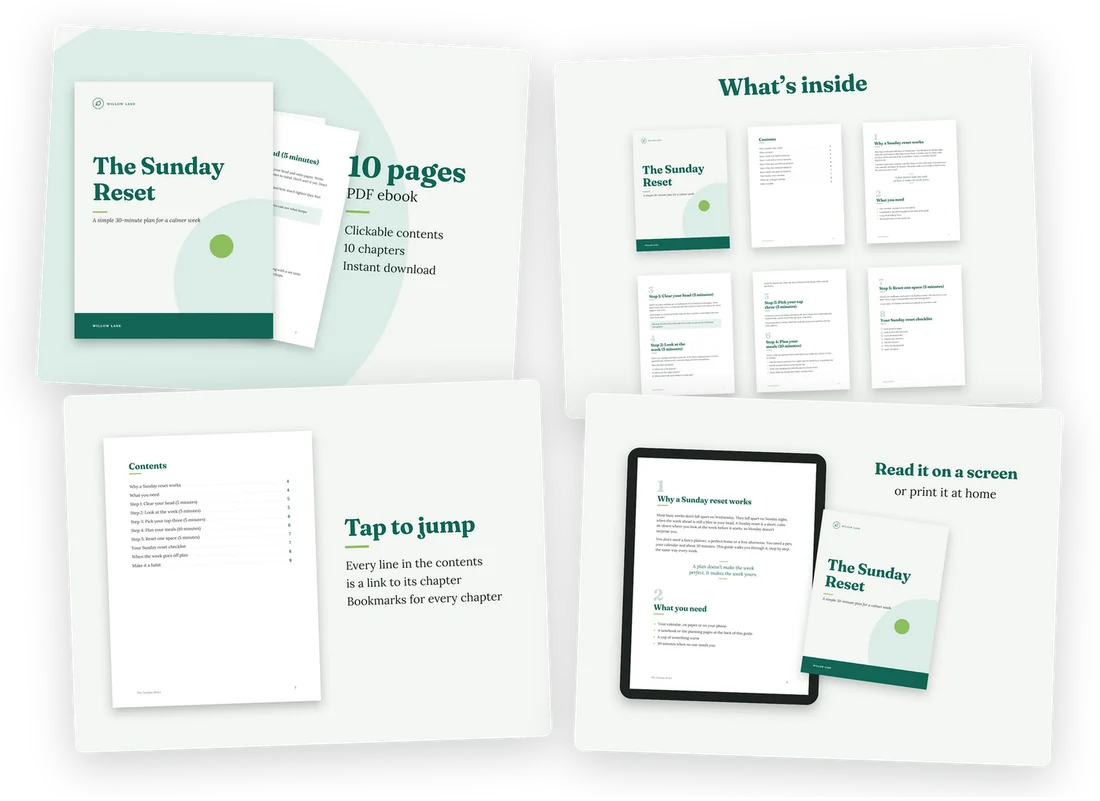
Paste from Google Docs, Word or a Claude chat. Ebook Maker lays out every page: chapters, headings, tip boxes, checklists, quotes, tables and pictures, with clean spacing and no word left alone at the end of a paragraph.
- Headings, bold, lists and links come in with your words
- Tip boxes, checklists, writing lines and tables
- Four font sets and six covers in your colors

“One new paragraph and every page shifts.”
Templates make you move every box by hand.
The fix: Change a word, and the whole book follows
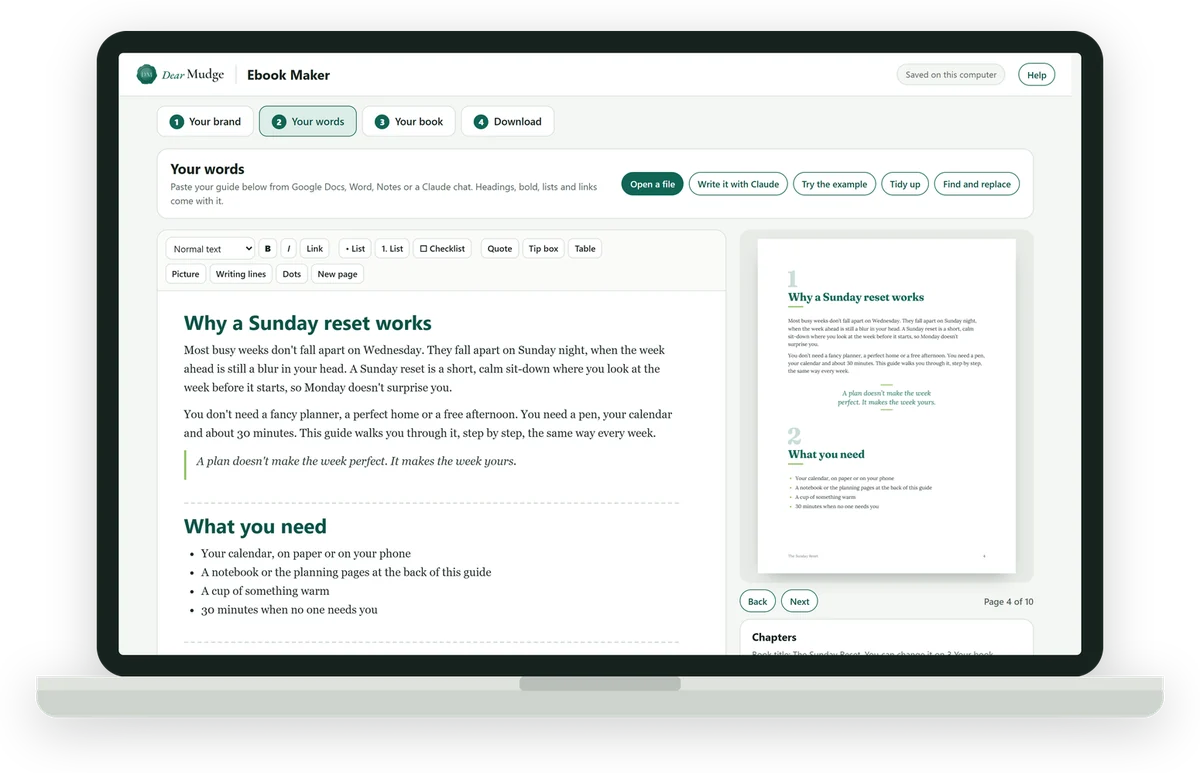
Your words flow onto the pages, so you can add a paragraph, move a chapter or change the size, and every page, page number and contents line follows as you type.
- A live page beside your words
- Move a chapter up or down in one click
- US Letter, A4, 6 x 9 and 5.5 x 8.5
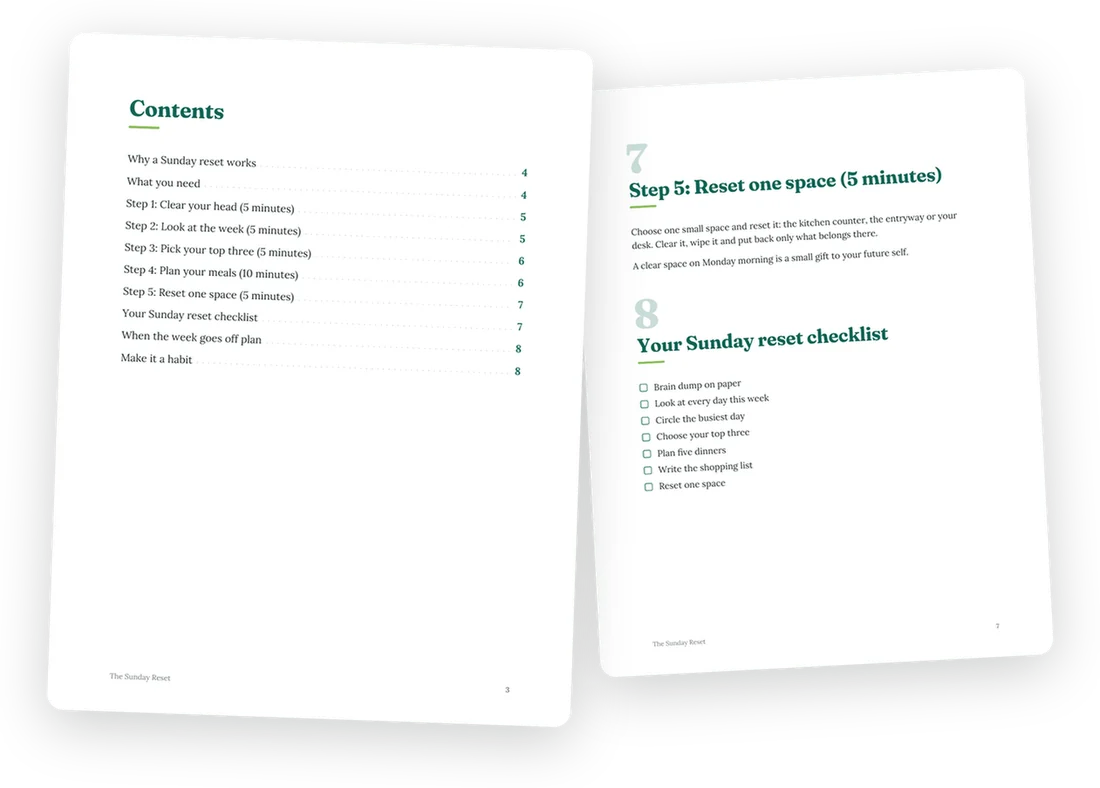
“The contents page never matches the page numbers.”
One change, and every number is wrong again.
The fix: Clickable contents, always right
The contents page is made from the real page numbers, and every line is a link to its chapter. Every page number leads back to the contents, and the PDF has a bookmark for every chapter.
- Every contents line is a link
- A bookmark for every chapter
- A title page, notes pages and an About page
“I don’t have a guide written yet.”
A blank page is the hardest page of all.
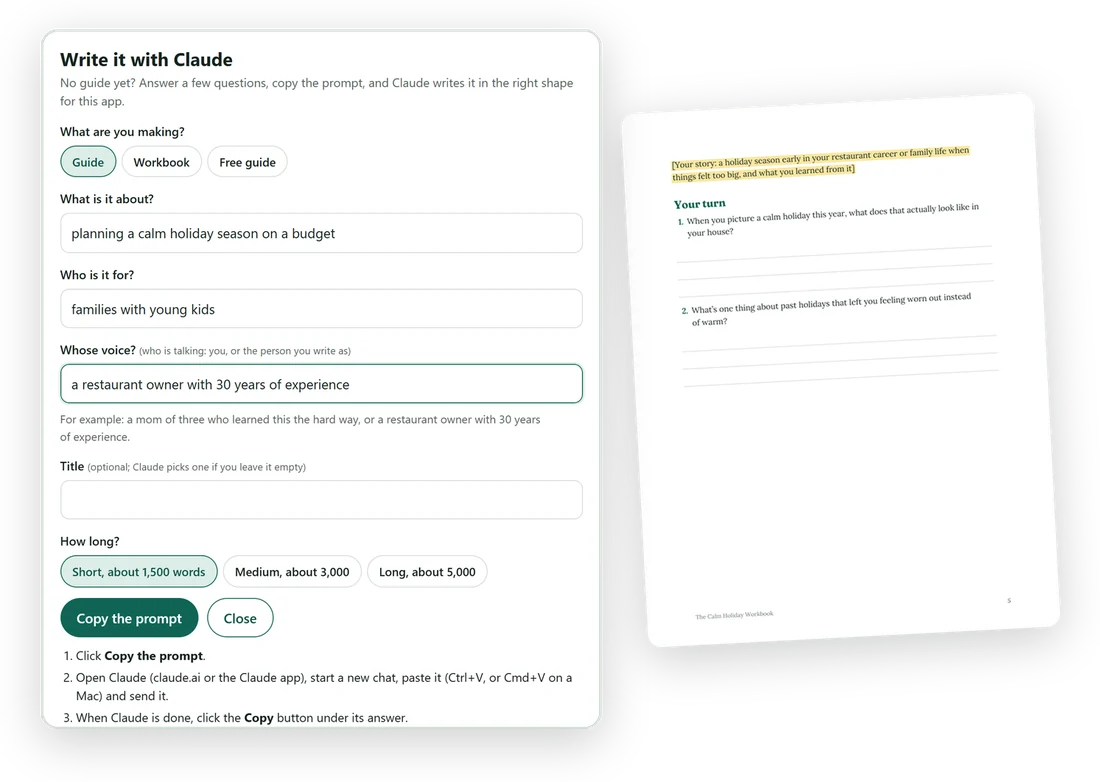
The fix: Write it with Claude, in your own voice
Answer a few questions and Ebook Maker gives you a tested prompt. Claude writes your guide or workbook in the right shape, in the voice you describe, and leaves notes in yellow where your own stories belong.
- Guides, workbooks and free guides
- Questions with lines to write on, for workbooks
- Yellow notes where your own stories go
“I don’t have a cover picture.”
Stock photos look like everyone else, and design apps take hours.
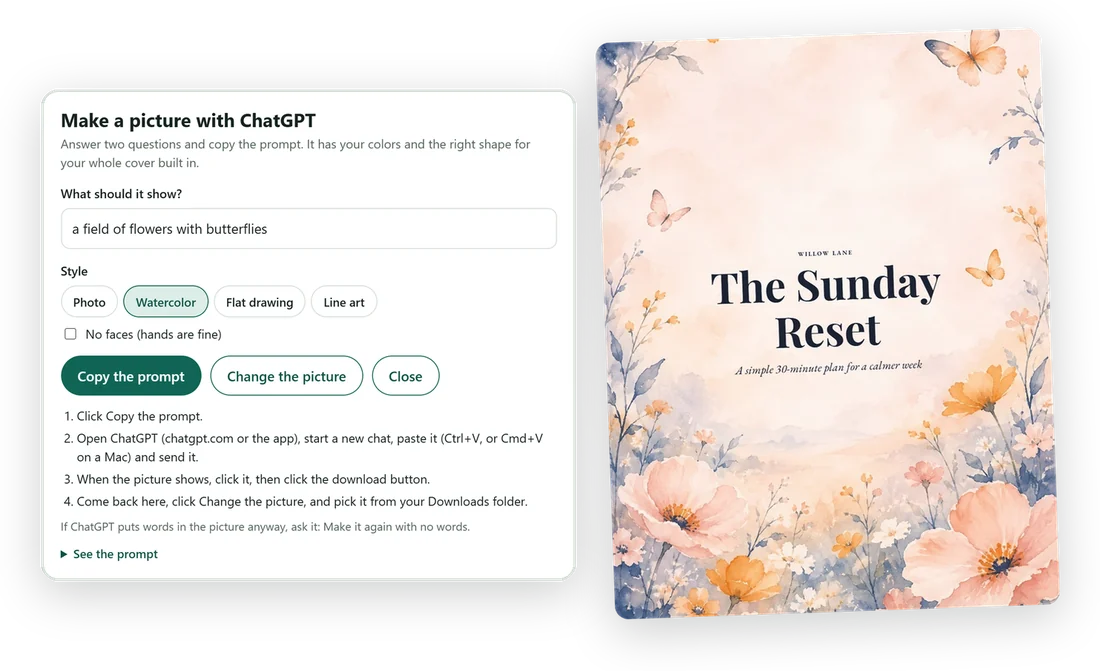
The fix: A cover picture from ChatGPT, in your colors
Answer two questions and Ebook Maker writes the ChatGPT prompt for you, with your brand colors, the cover shape and calm space for your title. Make the picture, download it, and your title goes right on it.
- Photo, watercolor, flat drawing or line art
- Your colors and the right shape, built into the prompt
- For your cover and the pictures inside your book
“Then Kindle and Etsy want different files.”
PDFs, EPUBs, covers, mockups and listing pictures, one by one.
The fix: Every file, in one click
Download the PDF in any sizes, an EPUB for Kindle, Apple Books and Kobo with its Kindle cover, your cover picture, and pictures and words for your shop listing.
- An EPUB for Kindle, Apple Books and Kobo
- Five listing pictures, 2400 by 1800
- A tested Claude prompt for the full listing
No subscriptions
Pay once. It’s yours.
Ebook Maker is one file that opens in your browser. There is no account to make and no monthly fee, and nothing you make is ever sent anywhere.
Sell what you make
The ebooks you make are yours to sell under your own shop name.
Free updates
When we make it better, the new version comes to your email.
How it works
Three steps, and the first one you only do once.
 1Set your brand onceYour shop name, logo, colors and fonts. Every ebook matches from then on.
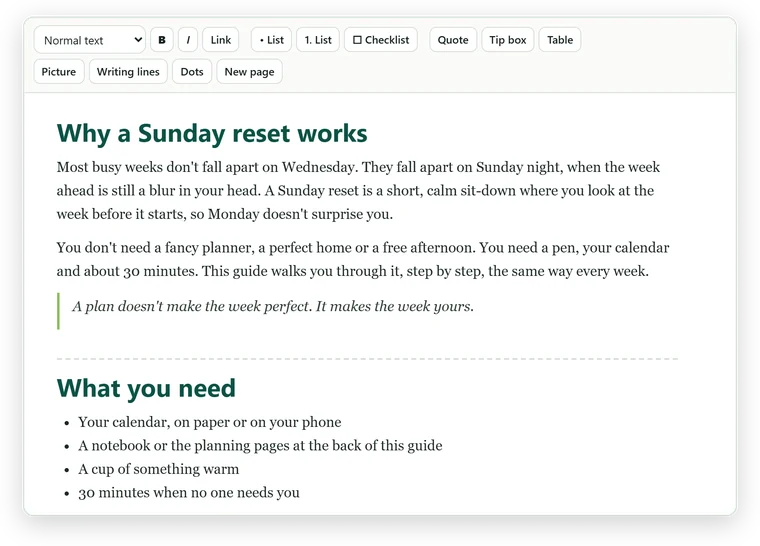 2Bring in your wordsPaste them, open a file, or write them with Claude, and watch them become a book.
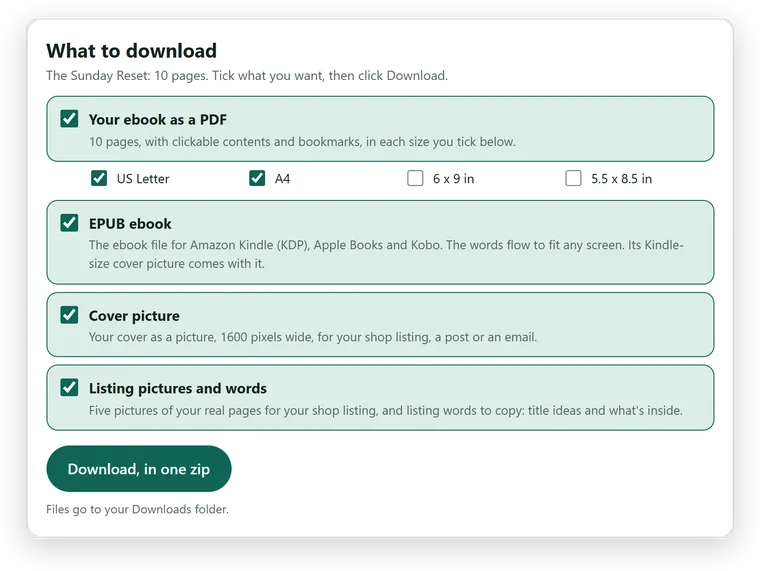 3Download it allThe PDF in every size, the EPUB, the cover and your listing pictures, in one zip.

Ebook Maker is for you if...
- You sell guides, workbooks or ebooks, or you want to start.
- You know something that could help someone, and want it in a book.
- You want a PDF and a Kindle ebook from the same words.
- You’d rather pay once than pay every month.
It’s not for you if...
You want to design every page by hand.
Ebook Maker lays out the pages for you. You pick the cover, the chapter style, the colors and the fonts.
You only use a phone.
Ebook Maker needs a computer with Google Chrome or Microsoft Edge. The ebooks it makes open anywhere.

Ebook Maker
The tool, the step-by-step guide and free updates.
- Ebook Maker: one file that opens in Chrome or Edge on your computer
- The Ebook Maker Guide: every button, step by step, with pictures
- Tested Claude prompts to write your guide and your listing
- Free updates, sent to your email
Add our other tools for $28 each
Secure checkout by Shopify. Your download links show right after you pay, and they’re emailed to you too.
The cart opens when Ebook Maker is set up in the store.
Questions
Can I sell the ebooks I make?
Yes. The PDFs and EPUBs you make are yours to sell under your own shop name. Ebook Maker itself is for your own use, so please don’t share or resell the tool.
Do I need Claude?
No. Paste or type your own words. Write it with Claude is there when you want help writing.
Do I need Canva or Word?
No. Ebook Maker lays out every page. If your guide is in Word or Google Docs, paste it in or open the Word file.
Will it work for Kindle?
Ebook Maker makes an EPUB, the file Amazon KDP takes for a Kindle eBook, and a cover picture in the Kindle shape. Apple Books and Kobo take the same EPUB.
Which sizes does it make?
US Letter and A4 for PDFs to read and print, and 6 x 9 and 5.5 x 8.5, two book sizes.
Can I make a workbook?
Yes. Add lines to write on, checklists and questions, or pick Workbook and Ebook Maker sets it up for you.
Does it work on a phone?
Ebook Maker itself needs a computer. The PDFs and EPUBs it makes open on phones, tablets and computers.
Is there a monthly fee?
No. You pay once, and updates are free.
What if I get stuck?
The guide shows every button, step by step, with pictures, and the tool has a Help button on every screen.