
Dear Mudge, how do I post every day without spending hours in Canva?
Post every day without losing your evenings.
Post Studio turns your pictures and a few words into a whole day of posts, carousels, Reels and pins, all in your own look. One click downloads them all.
One payment. No monthly fee.
Works on your own computer.
Sound familiar?
You know you should post every day. Making the posts is what wears you out.
- You sit down to make one post, and the whole evening is gone.
- Your page looks different every day, so it doesn’t feel like a brand.
- You skip Reels because they take too long to make.
- You’re paying every month for tools you barely use.
Why we made it
We built it for our own page first.
We post every day on our own page, and making each post by hand used to eat our evenings. So we built a tool to do the design for us: our colors, our fonts, every post sized right, and the whole day downloaded at once.
It changed how we post. So we made it simple enough for anyone, and that is Post Studio. It solves our problem every day, and now it can solve yours.
Dear Mudge
“Every post takes an hour, and I still need three more.”
By the time one looks right, the evening is gone.
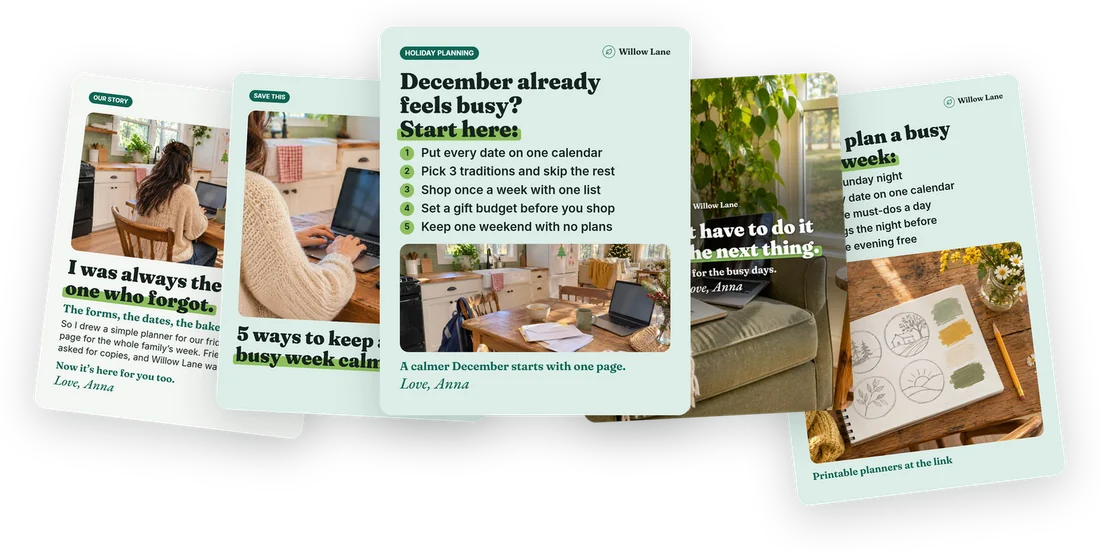
The fix: A whole day of posts, all at once
Add your pictures, type a few lines, and Post Studio lays out every post for you, sized for where it goes. Then one click downloads the whole day, with each caption right beside its post.
- Tips posts, story posts, carousels, quotes, Reels and Pinterest pins
- Sizes for Facebook, Instagram, Stories and Pinterest
- Your words always fit, so nothing gets cut off
“My posts all look different, so nobody remembers my page.”
Templates look like everyone else’s, and fiddling with fonts takes forever.
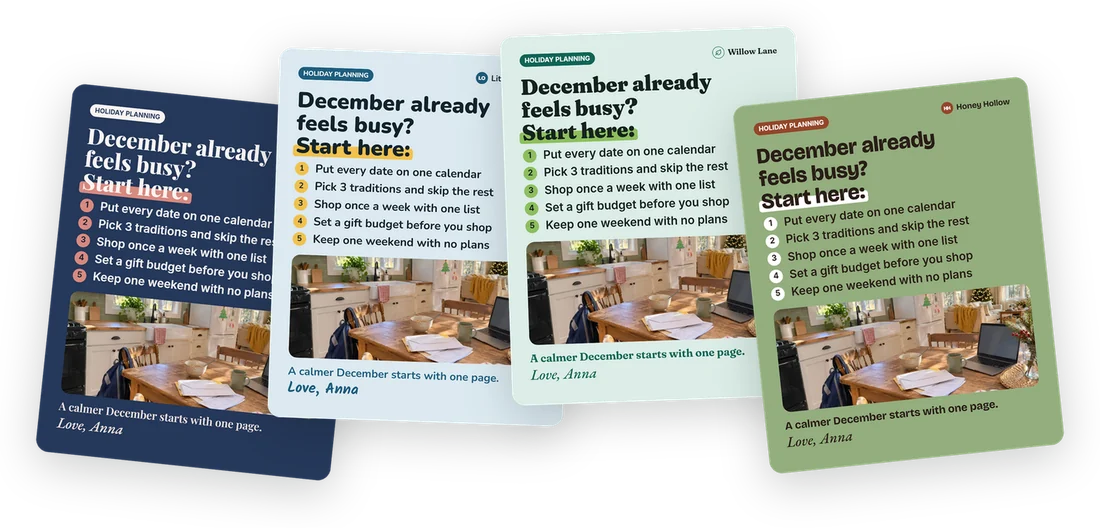
The fix: Your look on every post
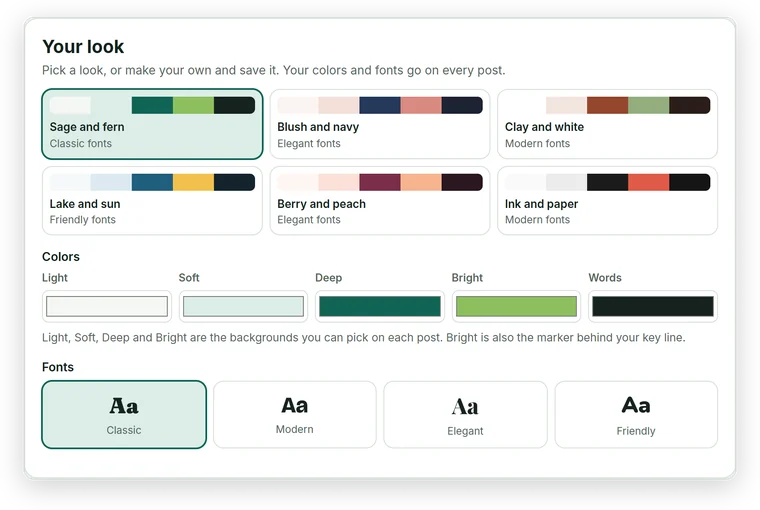
Set your name, logo, colors and fonts once. Every post after that matches, so your page looks like a real brand from the very first day.
- 6 ready looks, or make and save your own
- Your logo and sign-off on every post
- Words that stay easy to read on any background
“Reels feel like a whole second job.”
Editing apps, timing every clip, and music that only plays on Facebook.
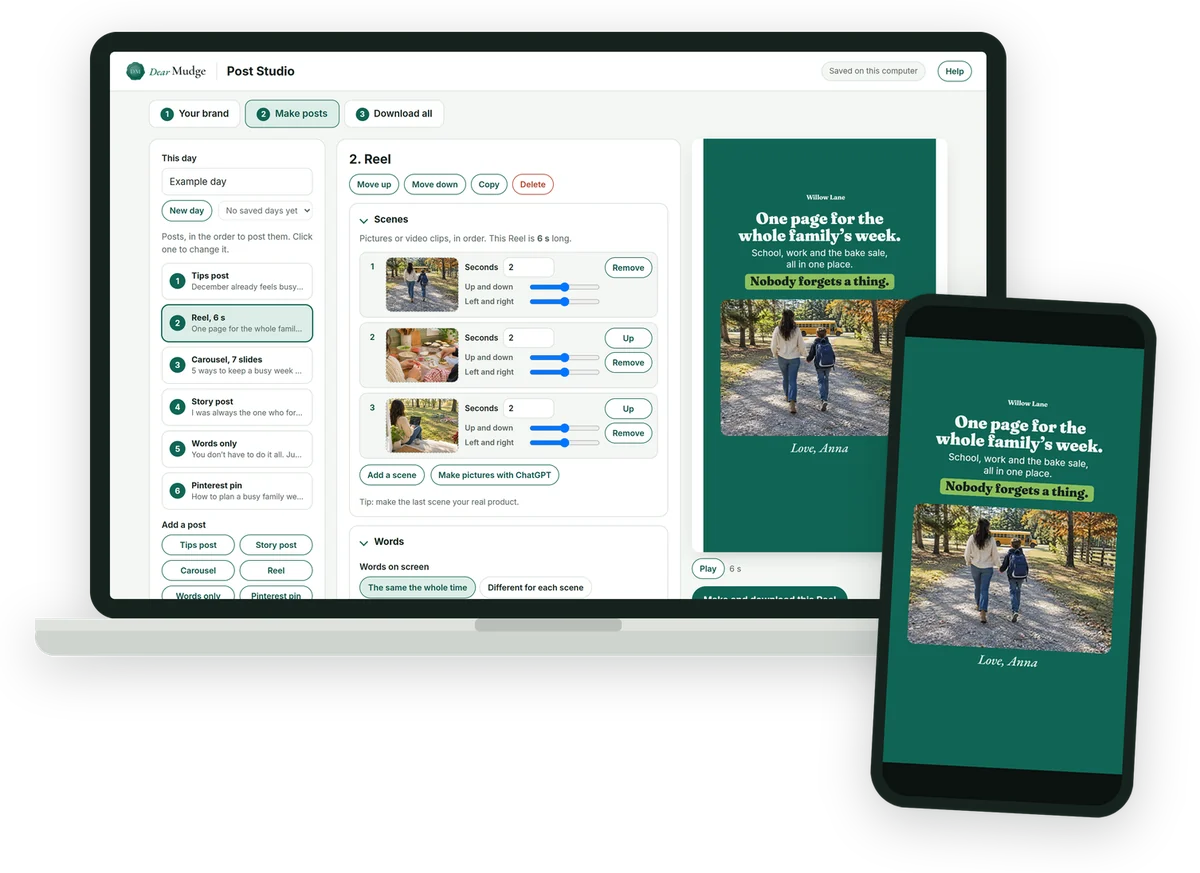
The fix: Reels without an editing app
Pick your pictures or video clips, set how long each one shows, add your song and press Play. Post Studio makes the video with your song built in, so it plays on Facebook and Instagram.
- Your pictures or your own video clips
- Soft fades and a slow zoom, if you like them
- Your song at a comfortable volume
“Every morning I start again from a blank page.”
Same fonts, same layout, same hour, every single day.
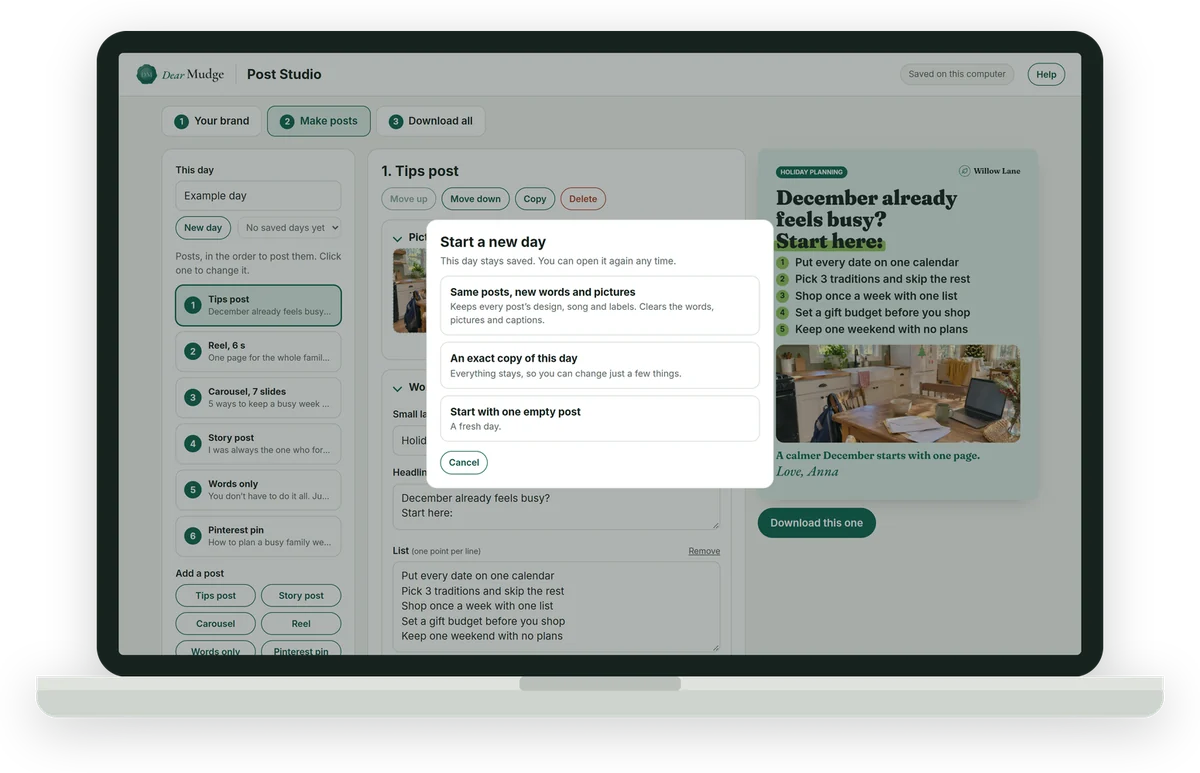
The fix: Tomorrow takes even less time
Click New day and your designs stay put. Just swap in new pictures and words. Every day is saved, so you can open, copy or reuse any of them.
- Keep the designs, change the words
- Your hashtags and follow line in one click
- Undo, if you delete something by mistake
No subscriptions
Pay once. It’s yours.
Post Studio is one file that opens in your browser. There is no account to make and no monthly fee, and nothing you make is ever sent anywhere.
Private
Your pictures and posts stay on your own computer.
Free updates
When we make it better, the new version comes to your email.
How it works
Three steps, and the first one you only do once.
 1Set your brand onceYour name, logo, colors and fonts. Every post matches from then on.
 2Add pictures and a few wordsPick a kind of post, add your picture and type. The preview shows it as you go.
 3Download the whole dayOne click gives you every post, Reel and carousel, in posting order, with captions.


Post Studio is for you if...
- You want to post every day without it taking all evening.
- You sell something and want your page to look like a real brand.
- You’d rather pay once than pay every month.
- You post without showing your face, with pictures of your work, home or products.
It’s not for you if...
You only use a phone.
Post Studio needs a computer with Google Chrome or Microsoft Edge.
You want it to write and post for you.
You bring the pictures and words, and you post them. Our Claude prompt helps with the words.

Post Studio
The tool, the step-by-step guide and free updates.
- Post Studio: one file that opens in Chrome or Edge on your computer
- The Post Studio Guide: every button, step by step, with pictures
- A tested Claude prompt that writes 5 posts at once
- Free updates, sent to your email
Add our other tools for $28 each
Secure checkout by Shopify. Your download links show right after you pay, and they’re emailed to you too.
The cart opens when Post Studio is set up in the store.
Questions
Do I need Canva or any other app?
No. Post Studio does the design. You need your pictures and a computer with Google Chrome or Microsoft Edge.
Does it work on a phone?
It is made for a computer. You can post the finished files from your phone afterwards.
Is there a monthly fee?
No. You pay once, and updates are free.
Where do my pictures go?
Nowhere. Post Studio works on your own computer, and nothing you make is sent anywhere.
Can I use video clips and music?
Yes. Reels can use your pictures or your own clips, and any song you’re allowed to use. The guide shows where to get free songs for Facebook and Instagram.
Does it write my posts?
You type your own words. The guide has a tested Claude prompt that writes 5 posts at once, ready to paste in.
Can I use what I make in my business?
Yes. Everything you make is yours to use on your own page and in your own shop. Post Studio itself is for your own use, so please don’t share or resell it.
What if I get stuck?
The guide shows every button, step by step, with pictures, and the tool has a Help button on every screen.