
Dear Mudge, how do I make listing pictures and a video for every product without Canva?
Your product, as a whole set of listing pictures.
Drop in your PDF. Listing Studio reads every page and makes your listing pictures in your own look, a flip-through video for Etsy, a Reel, and your listing words.
One payment. No monthly fee.
Works on your own computer.
Sound familiar?
The product is done. Then come the listing pictures.
- Your product is finished, and the listing pictures are the part you keep putting off.
- One flat picture of the cover doesn’t show what’s inside.
- Mockup sites charge every month, and every product starts from scratch.
- Every shop wants a different size, and Etsy wants a video too.
Why we made it
We built it for our own listings first.
Every product we make needs listing pictures: the cover on a tablet, what’s inside, a few close-ups, the sizes, how it works, and now a video. Making them one at a time took us longer than making some of the products. So we built a tool to do it for us.
It worked so well that we made it simple enough for anyone, and that is Listing Studio. It solves our problem every time we list a product, and now it can solve yours.
Dear Mudge
“I don’t have time to make ten pictures for every product.”
So the listing goes up with one flat picture of the cover.
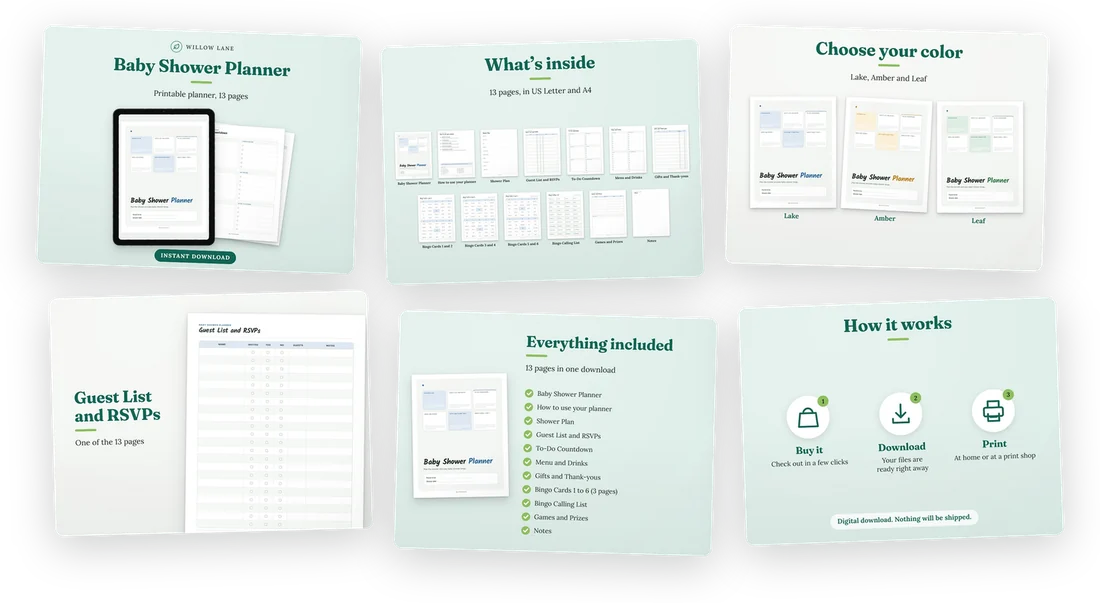
The fix: A whole set of listing pictures, in one go
Drop in your product’s PDF. Listing Studio reads every page, names each one from its biggest words, and makes the whole set in your own colors and fonts: a main picture, what’s inside, close-ups, every page by name, the sizes, how it works and more.
- Up to 11 pictures, numbered in the order to add them
- Every headline in your own words, or ours
- Other colors of the same product, side by side
“Mockups mean a new template for every product.”
Hours of dragging pages into frames, one at a time.
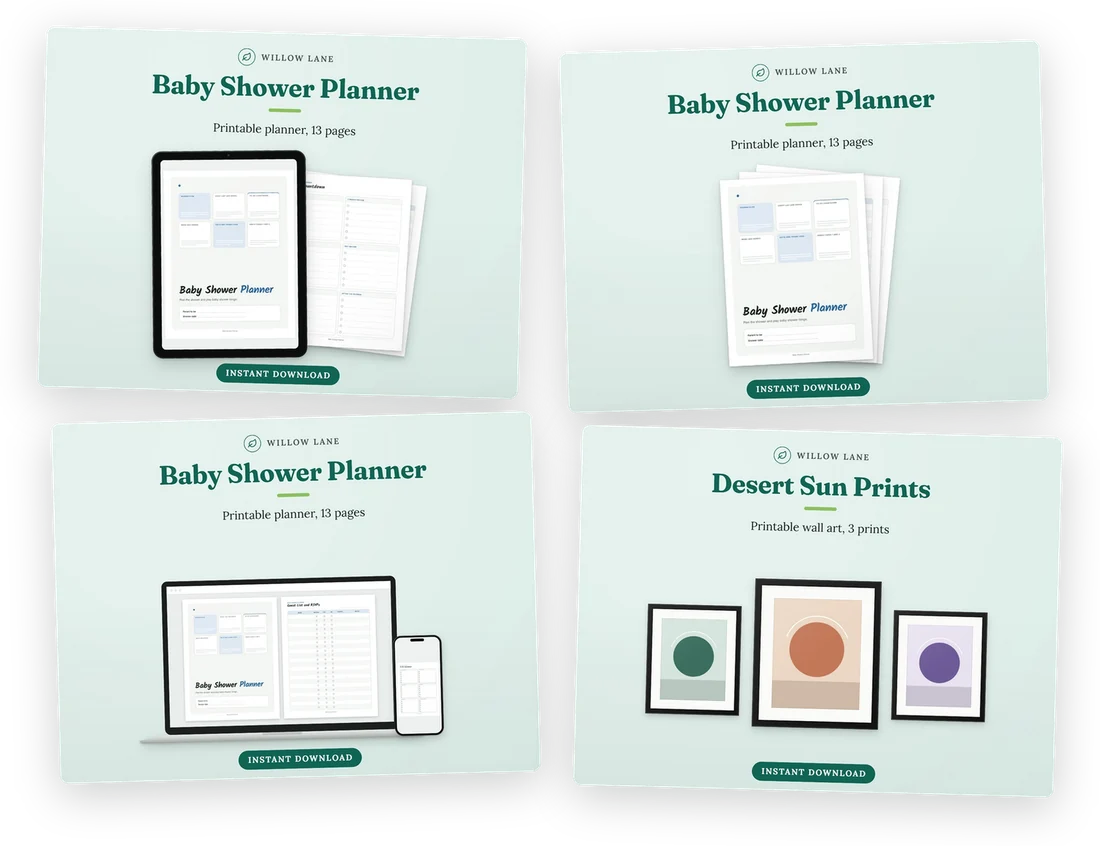
The fix: Your real pages, placed for you
Tablets, paper piles, a laptop and phone, and frames on a wall, with soft shadows, all drawn on your own computer. Or put your pages on a photo of your own desk, with a ChatGPT prompt that matches your colors.
- Seven scenes, from Tablet and pages to Gallery wall
- Landscape pages get a landscape tablet
- Your own photo behind the pages
“Etsy wants a video, and I don’t edit videos.”
Video apps take hours to learn, for a few seconds of video.
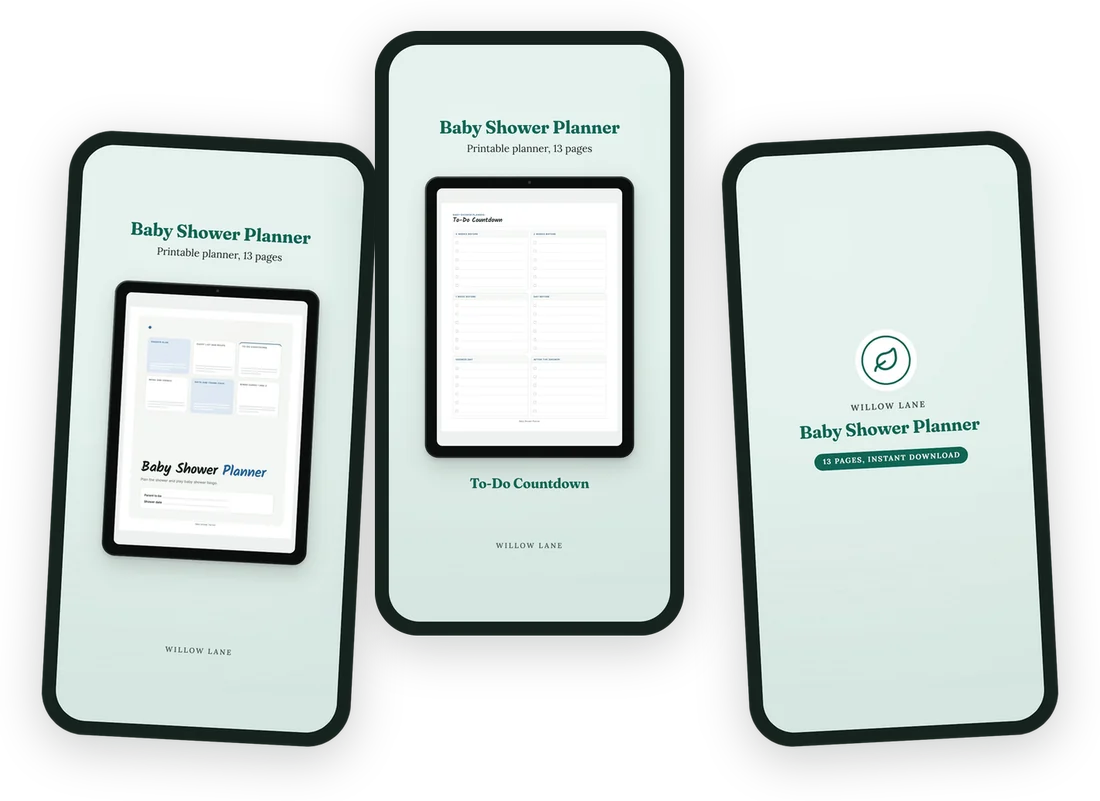
The fix: A flip-through video, made for you
Each page stays on screen about 2 seconds, and the next one blends in softly, with its name beside it. A silent video sized for Etsy, and a Reel with your own song for Instagram, Facebook and Pinterest.
- An Etsy video under 15 seconds, without sound, as Etsy plays it
- A Reel at 1080 x 1920, with your song
- Your cover, your favorite pages and a few more
“Every shop wants a different picture size.”
Etsy wants landscape, Shopify wants square, Pinterest wants tall.
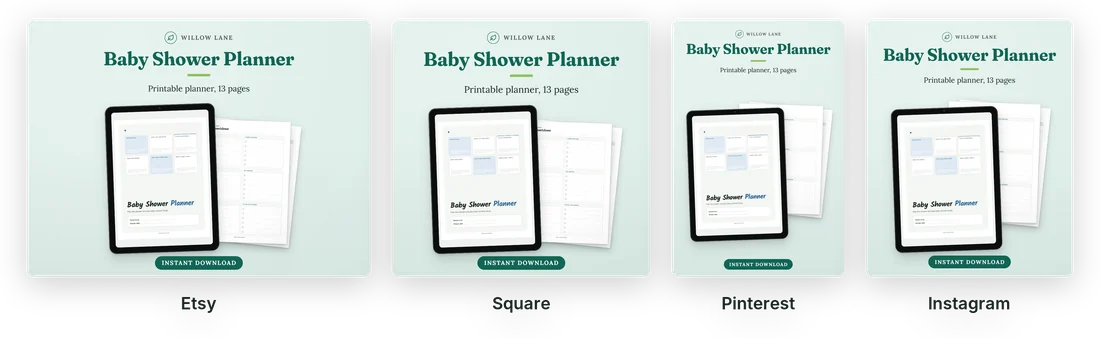
The fix: Every size, from the same set
Etsy pictures at 2700 x 2025, with the main one kept inside the middle square for Etsy’s crop, squares for Shopify, Payhip, Stan Store and Gumroad, Pinterest pins and Instagram posts. Every picture is a JPG under 1 MB.
- Etsy, Square, Pinterest and Instagram
- A preview of your main picture in Etsy search
- Everything in one zip, ready to upload
“Then I still have to write the listing.”
What’s included, how it works and 13 tags, from scratch every time.
The fix: Your listing words, from your real pages
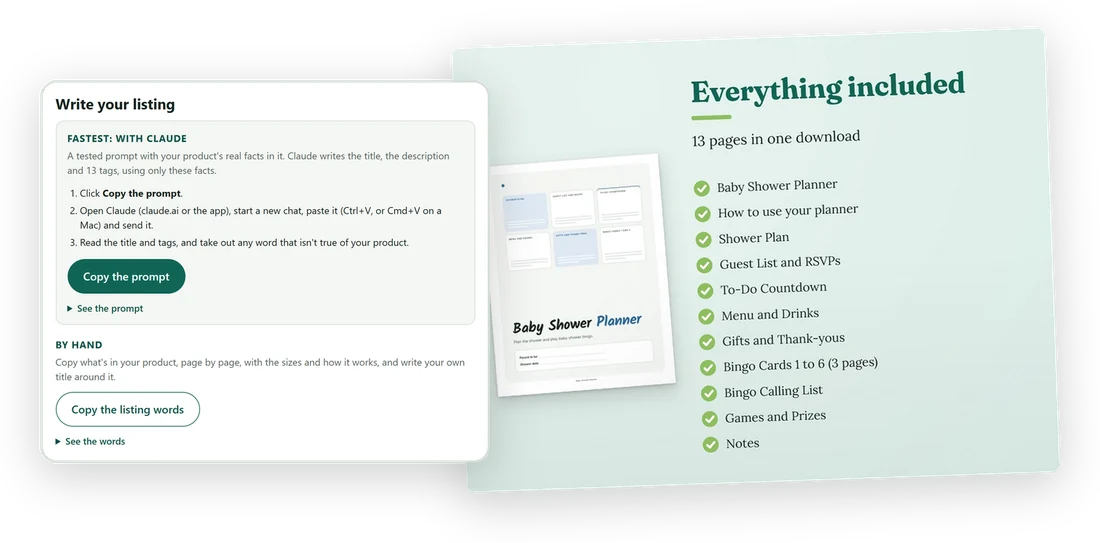
Listing Studio writes down every page by name, the sizes and how it works, and gives you a tested Claude prompt with those facts in it. Claude writes the title, the description and 13 tags, using only your product’s facts.
- Every page listed, with repeats counted
- A tested Claude prompt for the full listing
- Or copy the listing words and write it yourself
No subscriptions
Pay once. It’s yours.
Listing Studio is one file that opens in your browser. There is no account to make and no monthly fee, and nothing you make is ever sent anywhere.
Use what you make
The pictures and videos you make are yours to use for your own products.
Free updates
When we make it better, the new version comes to your email.
How it works
Three steps, and the first one you only do once.
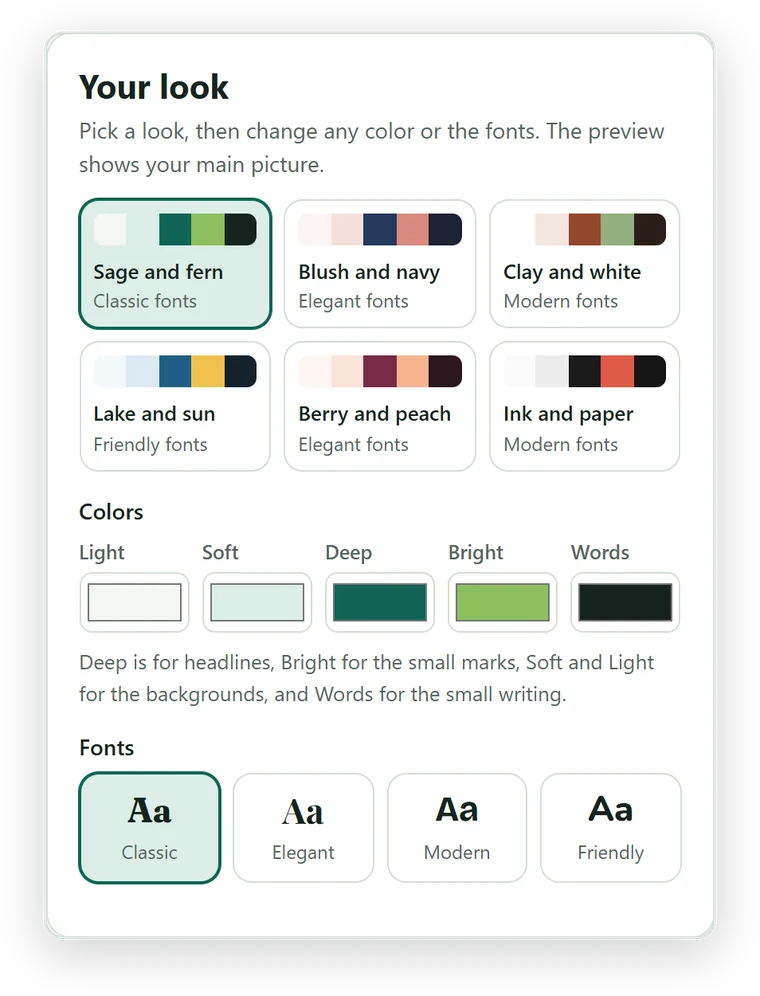 1Set your brand onceYour shop name, logo, colors and fonts. Every set matches from then on.
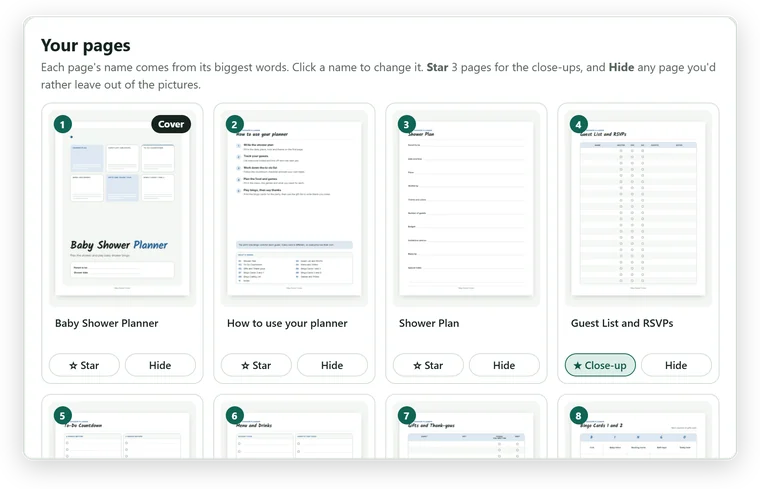 2Drop in your PDFIt reads every page and names each one. Star your favorite pages for the close-ups.
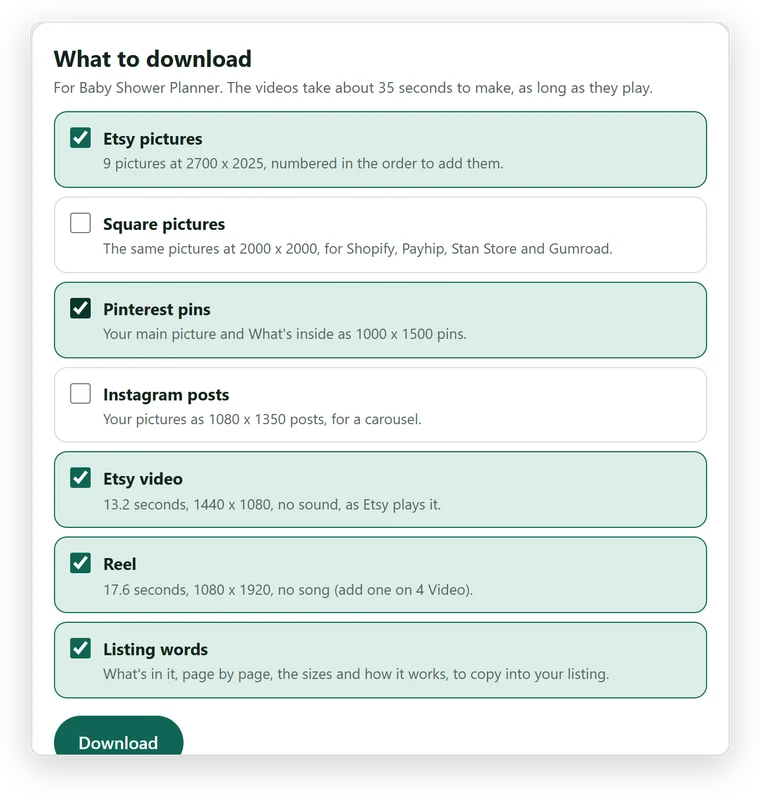 3Download it allEvery picture in every size, both videos and your listing words, in one zip.
Listing Studio is for you if...
- You sell printables, planners, ebooks or wall art, on Etsy or your own shop.
- You finish a product, then dread making the listing pictures.
- You want every listing in your shop to look like the same brand.
- You’d rather pay once than pay every month.
It’s not for you if...
You sell things you photograph.
Listing Studio works from your product’s PDF, or pictures of its pages, for digital products.
You only use a phone.
Listing Studio needs a computer with Google Chrome or Microsoft Edge. The pictures and videos it makes work anywhere.

Listing Studio
The tool, the step-by-step guide and free updates.
- Listing Studio: one file that opens in Chrome or Edge on your computer
- The Listing Studio Guide: every button, step by step, with pictures
- A tested Claude prompt to write your listing
- Free updates, sent to your email
Add our other tools for $28 each
Secure checkout by Shopify. Your download links show right after you pay, and they’re emailed to you too.
The cart opens when Listing Studio is set up in the store.
Questions
What products does it work with?
Any digital product you have as a PDF, or as pictures of its pages: planners, printables, worksheets, ebooks, digital planners and wall art.
Does it work with a PDF from Canva?
Yes. Download your design from Canva as a PDF and drop it in. If a PDF has no words inside it, you type a short name for each page.
Will the pictures fit Etsy?
Yes. Etsy asks for at least 2000 pixels on both sides, so the Etsy pictures are 2700 x 2025, and the main one keeps everything inside the middle square, where Etsy crops it. The Etsy video is under 15 seconds, without sound.
Do I need Canva or a mockup site?
No. Listing Studio draws the tablets, paper and frames itself, with your real pages on them.
Can I use the pictures for my products?
Yes. The pictures and videos you make are yours to use for your own products, in your shop, posts and pins. Listing Studio itself is for your own use, so please don’t share or resell the tool.
Do I need Claude?
No. Copy the listing words and write your own title. The Claude prompt is there when you want help.
Does it work on a phone?
Listing Studio itself needs a computer. The pictures and videos it makes work on any phone, shop or app.
Is there a monthly fee?
No. You pay once, and updates are free.
What if I get stuck?
The guide shows every button, step by step, with pictures, and the tool has a Help button on every screen.